Artificial intelligence has become an everyday productivity tool rather than a technology reserved for developers. Students use it to understand complex topics, content creators generate ideas within minutes, marketers plan campaigns faster, and business owners automate repetitive work. However, many people still believe that advanced AI tools require expensive subscriptions or technical knowledge.
That assumption is no longer true.
Google AI Studio is one of Google’s most powerful AI platforms, and surprisingly, many of its core features can be explored for free. Unlike a traditional chatbot, Google AI Studio gives users more control over how they interact with Google’s latest AI models. Whether you want to generate content, test prompts, summarize long documents, write code, or experiment with multimodal AI, the platform makes these tasks accessible through a clean web interface.
The best part is that you don’t need to be a programmer to get started.
If you’ve only used AI assistants like ChatGPT or Gemini, Google AI Studio may feel different at first. Instead of focusing only on conversations, it is designed as a workspace where you can test prompts, compare responses, and understand how Google’s AI models behave in different situations.
In this guide, you’ll learn what Google AI Studio is, how to access it for free, how to set it up correctly, and how beginners can use it for practical everyday tasks without feeling overwhelmed.
What Is Google AI Studio?
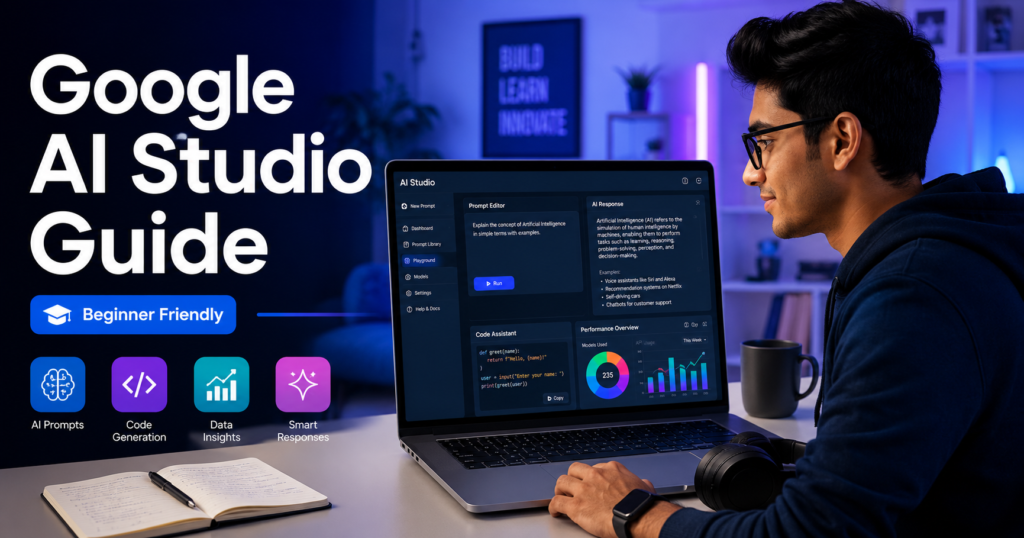
Google AI Studio is Google’s official browser-based platform for experimenting with its Gemini AI models. It allows users to write prompts, upload files, test different responses, and build AI-powered workflows without installing any software.
Think of it as a creative workspace rather than a simple chatbot.
Instead of opening a chat window and asking one question after another, you can refine prompts, adjust model settings, compare outputs, and explore how Google’s AI responds to different instructions.
Although developers use AI Studio for application testing, many non-technical users are now discovering that it can also be a powerful learning and productivity tool.
For example, a student can ask the AI to explain difficult concepts in simple language. A content creator can brainstorm video ideas. A freelancer can draft professional emails, while a small business owner can generate product descriptions or marketing content within minutes.
Because everything runs directly in your browser, getting started is much easier than many people expect.
Google AI Studio vs Gemini: What’s the Difference?
Many beginners confuse Google AI Studio with Gemini because both are powered by Google’s AI models. However, they serve different purposes.
Gemini is designed for everyday conversations. You ask a question, receive an answer, and continue chatting naturally. It works well for quick tasks like writing emails, translating text, or answering general questions.
Google AI Studio offers much more flexibility.
Instead of acting like a standard chatbot, it allows you to experiment with prompts, test different model behaviors, and build structured AI workflows. You can fine-tune instructions, compare outputs, and better understand how AI responds to different inputs.
In simple terms:
- Gemini is ideal for everyday AI conversations.
- Google AI Studio is better for learning, experimenting, and creating advanced AI workflows.
If your goal is simply to ask occasional questions, Gemini is usually enough. But if you want to improve prompt writing, explore AI capabilities, or build more reliable results, Google AI Studio provides a much richer environment.
Why More People Are Using Google AI Studio
Interest in Google AI Studio has grown because it offers capabilities that appeal to both beginners and experienced users.
Some of its biggest advantages include:
Free Access
Many useful features can be explored without paying for a subscription, making it an attractive option for students, freelancers, and creators.
Modern AI Models
The platform gives users access to Google’s latest Gemini models, allowing them to experiment with advanced AI capabilities directly from a web browser.
No Installation Required
Everything works online. There is no need to download large applications or configure complicated software before getting started.
Faster Prompt Testing
Instead of rewriting prompts repeatedly in different chat windows, users can refine and test instructions more efficiently within the same workspace.
Multiple Content Types
Google AI Studio isn’t limited to plain text. Depending on the available features, users may also work with images, files, and other types of content, making it suitable for a wider range of creative tasks.
How to Access Google AI Studio for Free
Getting started only takes a few minutes.
Step 1: Sign In
Visit the official Google AI Studio website and sign in using your Google account.
If you already use Gmail, YouTube, or Google Drive, you can use the same account.
Step 2: Accept the Terms
The first time you open the platform, Google may ask you to review and accept its terms of service before continuing.
Take a moment to read the available information so you understand how the platform works and how your data may be handled.
Step 3: Open a New Prompt
Once inside, you’ll find a workspace where you can start a new prompt.
Unlike many AI chat interfaces, you’ll notice additional options for experimenting with prompts and model settings.
Don’t worry if everything seems unfamiliar at first. Beginners only need a small portion of the available features to become productive.
Step 4: Write Your First Prompt
Instead of asking something very broad like:
“Tell me about artificial intelligence.”
Try giving the AI a specific task:
“Explain artificial intelligence to a Class 10 student using simple English and three real-life examples.”
The second prompt provides clear instructions, making it easier for the AI to produce a focused and useful response.
This is one of the most valuable lessons you’ll learn while using Google AI Studio: better prompts usually produce better results.
Your First Practical Task
A simple exercise is to ask Google AI Studio to create a one-week study plan.
For example:
“Create a seven-day study schedule for learning basic Excel. I can study for one hour each evening. Include one practical exercise every day.”
Notice how the prompt includes:
- A clear goal
- A specific time limit
- Daily availability
- The desired output format
Because the instructions are detailed, the AI is more likely to generate a practical plan instead of a generic answer.
This same approach can be used for writing, business planning, coding practice, language learning, travel planning, and dozens of other everyday tasks.
Real-Life Ways to Use Google AI Studio
Many people open an AI tool without having a clear goal. As a result, they ask random questions, receive random answers, and conclude that the tool is not very useful. The real value of Google AI Studio appears when you use it to solve practical problems.
Here are some examples.
For Students
Students can use Google AI Studio to simplify difficult topics, create revision notes, generate practice questions, and prepare study schedules.
For example, instead of asking:
“Explain photosynthesis.”
You could ask:
“Explain photosynthesis as if you are teaching a Class 8 student. Use simple English, one real-life example, and finish with five practice questions.”
This type of prompt usually produces a more useful learning experience because it gives the AI a clear role and objective.
For Content Creators
Writers, bloggers, and YouTubers often struggle with finding fresh ideas. Google AI Studio can help generate outlines, titles, content structures, and brainstorming sessions.
For example:
“Suggest ten YouTube video ideas about AI tools for students. Each title should create curiosity without using clickbait.”
Instead of copying the generated ideas directly, use them as inspiration and add your own experience. Original content always performs better over time.
For Freelancers
Freelancers spend a significant amount of time writing emails, proposals, and client responses.
Google AI Studio can help draft professional communication quickly.
Example:
“Write a polite proposal for a client who needs a WordPress website. Keep the tone professional and friendly.”
Always review the final output before sending it to a client. AI should assist your work—not replace your judgment.
For Small Business Owners
Small businesses can use AI Studio to write product descriptions, social media captions, FAQ pages, customer replies, and promotional content.
For example:
“Create five Instagram captions for a handmade candle business targeting first-time buyers.”
Instead of spending an hour thinking about ideas, you can generate several options in minutes and then customize the one that fits your brand.
20 Useful Google AI Studio Prompts
Here are some practical prompts beginners can start with:
- Explain this topic in simple English.
- Summarize this document into key points.
- Create a one-week study schedule.
- Suggest five blog post ideas about AI.
- Rewrite this paragraph in a more natural tone.
- Correct grammar without changing the meaning.
- Generate interview questions for this role.
- Create a beginner learning roadmap.
- Explain this code line by line.
- Suggest improvements for this email.
- Compare two products objectively.
- Turn these notes into a professional article.
- Generate social media captions.
- Create an FAQ section.
- Write a product description.
- Simplify technical language.
- Brainstorm business ideas.
- Create a presentation outline.
- Generate quiz questions.
- Review this content and suggest improvements.
Notice that every prompt gives the AI a clear task instead of asking vague questions.
Common Mistakes Beginners Make
Many beginners believe AI will automatically produce perfect results. In reality, better instructions usually lead to better responses.
Some common mistakes include:
- Asking overly broad questions.
- Copying AI output without reviewing it.
- Depending on AI for factual accuracy without verification.
- Sharing confidential or sensitive personal information.
- Expecting perfect answers from the first prompt.
AI works best when you treat it as a collaborative assistant rather than an automatic solution.
Privacy and Safety Tips
Google AI Studio is a powerful platform, but it is still important to use it responsibly.
Avoid entering:
- Passwords
- Banking details
- Government ID numbers
- Confidential business information
- Private customer data
- Medical records unless you understand the privacy implications
If you are working with sensitive information, replace real names and personal details with fictional examples whenever possible.
You should also verify important information from reliable sources before making academic, financial, legal, or business decisions.
Frequently Asked Questions
Is Google AI Studio free?
Google provides free access to many features, although usage limits and available models may change over time. Some advanced capabilities may require different access levels in the future.
Do I need programming knowledge?
No. Beginners can use Google AI Studio directly from a web browser without writing code.
Is Google AI Studio better than ChatGPT?
They serve different purposes. ChatGPT is excellent for conversational assistance, while Google AI Studio provides a workspace for experimenting with Google’s AI models and testing prompts in greater detail.
Can students use Google AI Studio?
Yes. Students can use it for studying, note-taking, brainstorming ideas, summarizing information, and creating learning plans. However, they should avoid relying on AI as their only source of information.
Can I use Google AI Studio for content writing?
Yes, but AI-generated content should always be edited, fact-checked, and personalized before publishing. Human experience and originality remain important for creating high-quality content.
Final Thoughts
Google AI Studio is more than just another AI chatbot. It gives users a practical environment to explore Google’s AI capabilities, improve prompt-writing skills, and complete everyday tasks more efficiently.
Whether you are a student preparing for exams, a freelancer communicating with clients, a content creator planning new ideas, or a business owner looking to save time, the platform offers practical ways to work smarter.
The key to getting the best results is not asking more questions—it is asking better questions. Clear instructions, realistic expectations, and careful review of AI-generated content will help you get much more value from the platform.
As AI continues to evolve, learning how to use tools like Google AI Studio effectively will become a valuable digital skill. Instead of treating AI as a shortcut, use it as a learning partner that helps you think, create, and solve problems more efficiently while keeping your own judgment at the center of every decision.
Also Read:
How to Use ChatGPT Voice for English Speaking Practice in 2026
Learn how to practise spoken English with ChatGPT Voice using role-plays, prompts, corrections, and a simple daily speaking routine.
How to Fact-Check AI Answers in 2026: A Beginner’s 10-Step Checklist
Follow a practical process for checking AI-generated facts, sources, dates, statistics, quotations, and important claims.
What Not to Share with AI Tools in 2026: 12 Things You Should Keep Private
Learn which passwords, documents, financial details, personal information, and confidential data you should avoid sharing with AI tools.
Free AI Tools for Students in 2026: Study Smarter with AI
Explore useful AI tools for studying, assignments, notes, exam preparation, and student productivity.
How to Use AI for Exam Preparation in 2026: A Practical Study Guide for Students
Learn how students can create realistic study plans, practise questions, understand difficult concepts, and organize revision with AI.