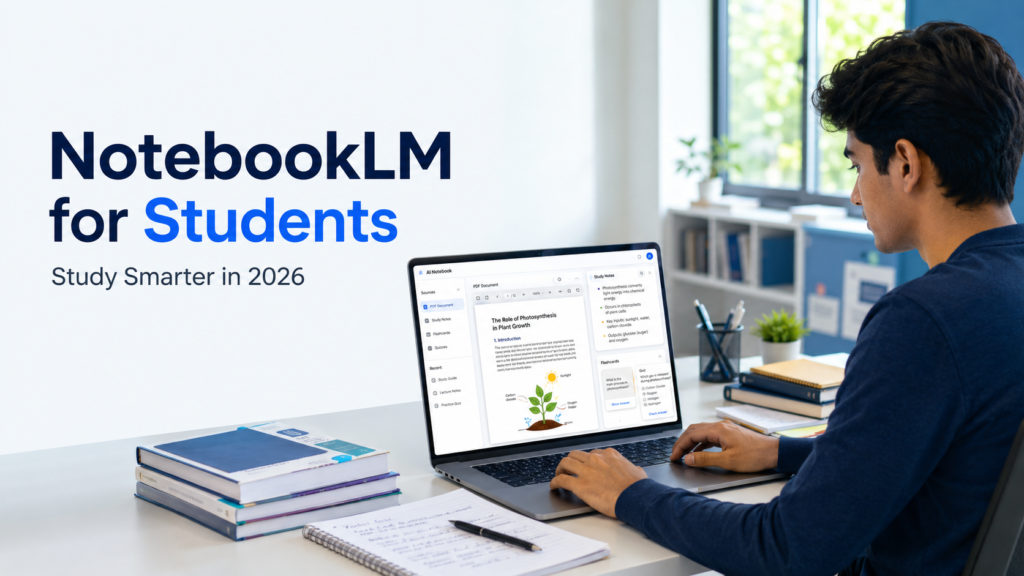
Studying from a pile of PDFs, lecture notes, class presentations, websites, and YouTube videos can quickly become overwhelming. The problem is often not a lack of information. The real problem is finding the right information at the right time and turning it into something you can actually remember.
This is where Google NotebookLM can be useful for students.
NotebookLM is an AI-powered research and learning tool that works mainly with the sources you provide. Instead of starting every question from the open internet, you can create a notebook, add your study material, and ask questions about those specific sources.
It can also help turn your study material into summaries, study guides, flashcards, quizzes, mind maps, and other learning formats.
For a student, this means a long textbook chapter or a collection of lecture notes can become a more interactive study space.
In this guide, we will look at how students can use NotebookLM in 2026 for studying PDFs, creating notes, preparing for exams, making flashcards and quizzes, and understanding difficult topics more efficiently.
What Is NotebookLM?
NotebookLM is a Google AI tool designed to help users organize, explore, and understand information from their own sources.
A notebook works like a separate workspace for a subject, project, exam, or research topic.
For example, a college student studying economics could create one notebook called:
Microeconomics Semester 2
Inside that notebook, the student could add lecture PDFs, class notes, recommended articles, presentation slides, and other study material.
Once those sources are added, the student can ask questions such as:
- Explain price elasticity in simple language.
- What are the main differences between these two chapters?
- Create revision questions from my notes.
- Which topics appear most frequently across these lectures?
NotebookLM can provide answers based on the selected study material and may also show references to the source it used.
This makes it easier to check where an answer came from instead of blindly trusting AI-generated information.
However, students should still verify important information because AI-generated answers can sometimes make mistakes.
What Study Materials Can You Add to NotebookLM?
One of NotebookLM’s useful features is that students do not need to keep everything in one file format.
Depending on the source and current availability, students may be able to work with materials such as:
- PDF files
- Google Docs
- Google Slides
- Google Sheets
- Microsoft Word documents
- PowerPoint files
- Text files
- Websites
- Public YouTube videos
- Audio files
- Images
- Pasted text
This can be useful for real student workflows.
For example, suppose your teacher gives you:
- two PDF chapters,
- one PowerPoint presentation,
- a YouTube lecture,
- your own class notes,
- and a useful website.
Instead of studying everything separately, you can place the relevant material inside one NotebookLM notebook and explore it together.
How to Start Using NotebookLM for Studying
Using NotebookLM does not require a complicated setup.
Start by opening NotebookLM with your Google account and create a new notebook.
Give the notebook a clear name based on what you are studying.
Instead of using names such as:
My Notebook
use something more specific, such as:
Class 12 Biology – Genetics Revision
or:
B.Com Semester 3 – Business Economics
Clear names become especially helpful when you create multiple notebooks later.
Next, add your study sources.
Try not to upload every file you own simply because you can.
A focused notebook is usually easier to study from.
For example, if tomorrow’s test covers only Chapters 4, 5, and 6, create a notebook containing those chapters and the related class notes rather than adding your entire year’s syllabus.
Use NotebookLM to Understand Difficult PDFs
Students often receive PDFs that are useful but difficult to read.
A 40-page chapter may contain important information hidden inside long paragraphs, definitions, examples, diagrams, and references.
Instead of immediately asking NotebookLM to summarize the entire PDF, start with more focused questions.
For example:
“Explain the five most important concepts in this chapter in language suitable for a Class 11 student.”
Then follow with:
“Which of these concepts should I understand first before studying the others?”
After that, you can ask:
“Explain concept number 3 using a simple real-life example.”
This approach can be more useful than generating one huge summary because you are actively breaking the material into smaller parts.
You can also ask NotebookLM to compare information across different study materials.
For example:
“Compare how Chapter 3 and my lecture notes explain photosynthesis. Mention any important points that appear in one source but not the other.”
This is closer to real studying than simply copying an AI-generated summary.
Turn Class Material into Better Study Notes
NotebookLM can also help students reorganize messy class notes.
Imagine you took notes during a fast lecture and they contain incomplete sentences, repeated points, and information written in no particular order.
You can add those notes along with your teacher’s presentation and ask:
“Create structured revision notes from these sources. Use short explanations, important definitions, key points, and examples. Do not add information that is not supported by my sources.”
You can then review the result and compare important points with the original material.
Another useful prompt is:
“Turn this chapter into revision notes that I can review in 15 minutes before an exam.”
The goal is not to let AI study for you.
Instead, AI should help organize the material so that you can study more efficiently.
Create Flashcards for Active Recall
Reading the same notes repeatedly can make you feel familiar with a topic, but familiarity is not the same as remembering.
Flashcards can help because they force you to recall an answer before checking it.
Students can use NotebookLM to create flashcards based on their study sources.
For example, after studying a history chapter, flashcards could cover:
- important dates,
- major events,
- historical figures,
- causes,
- consequences,
- key terms.
Do not simply read every flashcard and move on.
Try answering the question yourself before checking the answer.
If you repeatedly get one concept wrong, return to the original study material and review that section again.
This is where flashcards become a learning method instead of just another AI feature.
Use Quizzes to Find Your Weak Areas
Quizzes can be extremely useful during exam preparation because they show what you actually remember.
You can ask NotebookLM to create practice questions based on the study material in your notebook.
For example:
“Create a medium-difficulty quiz from Chapters 2 and 3. Focus more on concepts than simple definitions.”
After completing the quiz, ask:
“Based on the questions I struggled with, tell me which topics I should revise again.”
You can also gradually increase the difficulty.
Start with basic understanding.
Then move to application-based questions.
Finally, practise questions that require comparing ideas, explaining reasons, or applying concepts to new examples.
This creates a much stronger revision cycle than simply asking AI to give you answers.
Create a Study Guide Before Exams
When exams are close, students often waste time deciding what to study first.
NotebookLM can help organize study material into a more focused revision plan.
For example, you can ask:
“Create a study guide for my exam using these sources. Separate must-know topics, important definitions, difficult concepts, and practice questions.”
You can then use the study guide to plan your revision.
A simple seven-day plan could look like this:
Day 1: Learn core concepts
Day 2: Review examples
Day 3: Practise questions
Day 4: Review flashcards
Day 5: Take a mock quiz
Day 6: Revise weak areas
Day 7: Final quick revision
AI can help organize the plan, but your actual study time and practice still matter more than the tool.
Use Mind Maps to Understand Connections
Some subjects become difficult because students understand individual topics but fail to see how those topics connect.
Mind maps can help with this.
For example, suppose you are studying the human nervous system.
Normal notes may explain the brain, spinal cord, neurons, and reflex actions separately.
A mind map can help you see how these topics connect with one another.
This can be useful in subjects such as:
- Biology
- History
- Business Studies
- Geography
- Social Science
- Environmental Science
For revision, a visual structure may sometimes be easier to remember than several pages of continuous text.
Listen to Your Study Material with Audio Overviews
Not every study session has to involve staring at a screen.
NotebookLM can also help turn study material into an audio-based overview.
This can be useful while:
- travelling,
- walking,
- taking a break from reading,
- or reviewing a topic you have already studied.
Audio should not completely replace normal reading, especially for technical subjects.
Instead, use it as an additional revision method.
For example, first study a chapter normally.
Later, listen to an Audio Overview and see whether you can mentally recall the concepts being discussed.
This can help reinforce information you have already studied.
A Practical NotebookLM Study Workflow
Suppose a student has a biology exam on:
Cell Division
First, the student creates a notebook called:
Biology – Cell Division Exam
Then they add:
- the textbook chapter,
- teacher’s PDF notes,
- classroom presentation,
- their own notes.
The student can begin by asking:
“What are the main concepts I need to understand before studying this topic?”
After reading the answer, they ask:
“Explain mitosis step by step using simple language.”
Then:
“Compare mitosis and meiosis using only my sources.”
After understanding the topic, the student creates flashcards.
Next, they take a quiz.
Any questions answered incorrectly become the next revision targets.
Finally, the student asks:
“Create a one-page final revision guide covering the most important concepts from these sources.”
This is a much stronger use of AI than uploading a chapter and asking it to complete homework.
NotebookLM vs ChatGPT for Students
NotebookLM and ChatGPT can both help students, but they are useful in different situations.
NotebookLM is especially useful when your main goal is to study a specific collection of material.
For example:
“Help me understand these three lecture PDFs.”
Because the notebook is built around your selected sources, it can be useful when you want answers connected closely to your own course material.
ChatGPT may be more useful when you want:
- broader explanations,
- brainstorming,
- language practice,
- writing assistance,
- interview practice,
- general learning support.
Students do not necessarily need to choose only one tool.
You could use NotebookLM to study your course material and another AI assistant to practise explanations, brainstorm examples, or improve general skills.
The important thing is choosing the right tool for the task.
10 Useful NotebookLM Prompts for Students
Here are some prompts students can adapt.
1. Understand a Chapter
“Explain this chapter as if I am learning the topic for the first time.”
2. Find Important Concepts
“Identify the five concepts from these sources that are most important for understanding the rest of the topic.”
3. Create Revision Notes
“Create concise revision notes from these sources without adding unsupported information.”
4. Generate Practice Questions
“Give me 15 questions that test whether I truly understand this chapter.”
5. Compare Two Topics
“Compare Topic A and Topic B using examples from my sources.”
6. Simplify Difficult Material
“Which parts of these notes are likely to be difficult for a beginner? Explain them more simply.”
7. Create Flashcards
“Create flashcards for the important definitions and concepts in this notebook.”
8. Take a Practice Quiz
“Quiz me on this chapter. Start easy and gradually increase the difficulty.”
9. Build a Revision Plan
“Create a seven-day revision plan using the material in this notebook.”
10. Final Exam Checklist
“Create a final revision checklist so I can confirm what I know before the exam.”
The best prompts are usually specific about the topic, student level, task, and desired output.
Mistakes Students Should Avoid
NotebookLM can save time, but poor use of AI can also weaken learning.
One common mistake is copying generated text directly into assignments.
If your school or college expects original work, use AI to understand the material and then write the final answer yourself.
Another mistake is trusting every AI response without checking it.
Even when AI uses your provided sources, mistakes or misunderstandings can still happen.
Check important claims against your original study material.
Students should also be careful about privacy.
Avoid uploading highly sensitive information such as:
- passwords,
- banking details,
- government identification numbers,
- confidential academic records,
- private personal documents,
- information you do not have permission to share.
Students should also respect copyright and school or college rules when uploading learning material.
Is NotebookLM Free for Students?
NotebookLM offers access that students can use without immediately needing a paid subscription, although available features, limits, and account options may change over time.
Some users may also receive higher usage limits or additional features depending on their Google account or plan.
Because AI products change frequently, students should check the current NotebookLM interface before depending on any specific usage limit.
For many students, the available standard access may be enough to test whether NotebookLM fits their study style.
Final Thoughts
NotebookLM is most useful when students treat it as a study partner, not an answer machine.
Its real value is not simply summarizing a PDF.
A better workflow is:
Add reliable study material.
Ask focused questions.
Understand difficult concepts.
Create structured notes.
Practise with flashcards and quizzes.
Identify weak areas.
Return to the original material when something is unclear.
Used this way, NotebookLM can help turn scattered class material into a more organized learning system.
But the final goal should remain simple:
You should understand the topic well enough to explain it without the AI.
That is when the tool is actually helping you learn.
Also Read:
Best AI Note-Taking Tools for Students in 2026
Explore useful AI tools that can help students organize notes and revise more efficiently.
Free AI Tools for Students in 2026
Discover free AI tools for studying, writing, research, and everyday student tasks.
How Students Can Use AI for Homework Without Cheating in 2026
Learn how to use AI for homework responsibly while keeping your work original.
How to Fact-Check AI Answers in 2026
Learn a practical 10-step process for checking AI-generated information before using it in your studies.
Best ChatGPT Prompts for Students
Use practical ChatGPT prompts for learning, revision, explanations, and smarter study sessions.