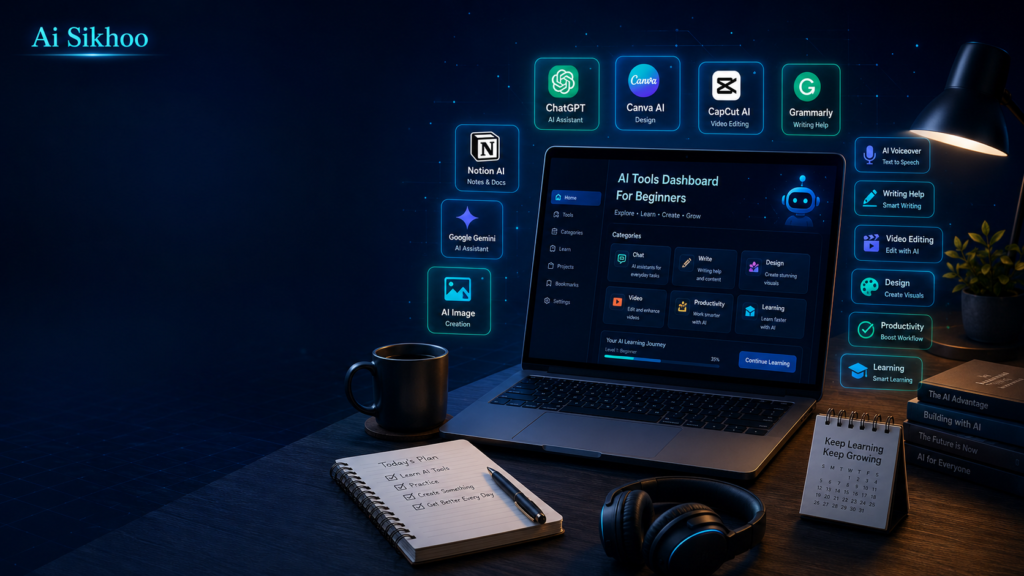
School and college work in 2026 can feel crowded. A learner may attend classes in the morning, watch online lessons at night, prepare assignments, revise chapters, complete projects, and still try to keep a clear mind before exams. The problem is not always hard work. In many cases, the real problem is the lack of a simple system. Notes are scattered, deadlines come close, and long lessons become difficult to break into small parts.
This is where modern AI apps can be useful. They can explain a topic in plain language, turn a rough idea into a cleaner draft, help organize revision, and give a starting point when a blank page feels stressful. These apps should not be treated as a way to avoid learning. They work best when a student uses them like a patient assistant: ask, understand, check, edit, and then write the final answer in your own voice.
The goal of this guide is simple. You will learn about free or beginner-friendly AI tools that can support studying, writing, research, notes, projects, and exam preparation. The focus is not on complicated technology. The focus is on practical use.
What AI Study Tools Actually Do
AI study tools are apps or websites that use artificial intelligence to respond to questions, improve writing, organize information, or generate useful learning material. Some tools are good at explaining lessons. Some are useful for grammar. Some help with slides, flashcards, summaries, or research. A student can use different apps for different parts of the study routine.
For example, when a chapter feels confusing, an AI assistant can explain the idea with simple examples. When an essay feels weak, a writing assistant can point out grammar problems and unclear sentences. When a project needs visuals, a design platform can help turn information into a neat presentation. When exams are near, flashcard apps can make revision more active.
These tools do not replace teachers, books, or real practice. They simply make the process more organized. A serious student still needs to read, think, solve problems, and verify important information.
Why Students Should Use AI Carefully
The biggest benefit of AI is speed, but speed alone is not enough. If a learner copies answers without understanding them, the result may look complete but the learning will be weak. The smarter method is to use AI for guidance and then do the real thinking yourself.
A good habit is to ask for an explanation first, then ask for examples, then write your own answer. After that, you can use a grammar checker or editing tool to improve clarity. This process builds understanding instead of only producing text.
Students should also be careful with facts. AI can sometimes give outdated or incorrect information. Before using facts in homework, projects, or public work, check them with textbooks, class notes, official websites, or trusted sources. Responsible use is what makes AI genuinely helpful.
1. ChatGPT for Explanations, Ideas, and Practice
ChatGPT is one of the easiest AI assistants for beginners. A student can use it to understand a topic, create a rough outline, simplify difficult paragraphs, generate practice questions, or get examples for a concept.
Instead of asking, “Explain this,” give more detail. A better prompt would be: “Explain photosynthesis to a class 8 student using simple words and one daily-life example.” The answer will usually be clearer because the request is specific.
ChatGPT is also useful when starting an essay or presentation. It can suggest points, organize sections, and help you see the topic from different angles. Still, the final work should be rewritten in your own style. Use it as a guide, not as a shortcut.
2. Grammarly for Clearer Writing
Grammarly is helpful for students who write essays, emails, reports, assignments, or project descriptions in English. It checks grammar, spelling, punctuation, and sentence clarity. Even small writing errors can make good ideas look weak, so a writing checker can be useful before submitting work.
The free version is enough for many basic corrections. It can help you notice repeated mistakes and improve your writing habits over time. The best way to use Grammarly is to read every suggestion before accepting it. Sometimes your original sentence may be correct for your meaning, so do not accept changes blindly.
For students who are not fully confident in English, Grammarly can act like a second pair of eyes. It helps polish the final draft without changing the main idea.
3. Canva for Projects, Posters, and Presentations
Canva is a simple design platform that is very useful for school and college work. Students can make posters, project pages, visual notes, class slides, certificates, diagrams, and social media-style educational graphics. The ready-made templates make design easier for people who have no design experience.
Canva’s AI features can also help with layout ideas, text suggestions, image editing, and quick design improvements. If you have to present a topic in class, Canva can help you make it clean and attractive without spending hours on formatting.
Good design does not mean adding too many colors or decorations. Keep slides simple, use readable fonts, and add only the most important points. Canva helps with presentation, but your understanding of the topic matters more than the design.
4. Notion for Notes and Study Organization
Notion is not only an AI tool. It is also a powerful workspace for organizing study life. Students can use it for subject notes, assignment trackers, exam calendars, reading lists, project planning, and weekly goals.
The main benefit of Notion is structure. Instead of keeping notes in random files or notebooks, you can create pages for each subject. You can add checklists, tables, links, deadlines, and revision notes. If used properly, it becomes your personal study dashboard.
Notion AI can help summarize notes, improve written content, and create rough outlines. Even without advanced features, the free version of Notion is useful for students who want better organization.
5. Google Gemini for Research Support
Google Gemini can help students explore topics, simplify explanations, compare ideas, and prepare a starting point for research. It can be especially useful when you are trying to understand a broad topic before reading deeply.
For example, you can ask Gemini to explain the difference between two historical events, summarize a science concept, or suggest angles for a project. It can help you move from confusion to a basic understanding more quickly.
However, research should not stop with AI. Always confirm important details from reliable sources. Treat Gemini as a helper for early understanding, not as the final authority.
6. Quizlet for Revision and Flashcards
Quizlet is useful for active revision. Many students read the same notes again and again but still forget them during exams. Flashcards help because they force the brain to recall information instead of only recognizing it.
Students can use Quizlet to revise definitions, formulas, vocabulary, dates, key points, and short questions. It is useful for subjects that require memory and regular practice.
A simple revision method is to turn each important point into a question. Read the question first, try to answer without looking, then check the answer. This builds stronger memory than passive reading.
7. Microsoft Copilot for Everyday Productivity
Microsoft Copilot can help students with writing, summaries, planning, and productivity tasks. It can be useful when working with documents, emails, notes, and basic research. For students already using Microsoft apps, Copilot can fit naturally into their workflow.
It can help create a rough draft, improve wording, organize points, or summarize a long passage. This saves time when working on assignments or preparing notes.
As with every AI assistant, the output should be checked and edited. Use Copilot to make the first step easier, then refine the work yourself.
8. Perplexity AI for Research Questions
Perplexity AI is useful when a student wants quick research support with source-based answers. It can help you explore a question and see references that may guide further reading.
This makes it helpful for project work, general research, and understanding current topics. Instead of only giving a plain answer, it can point you toward sources, which is valuable for learning.
Still, students should read the sources carefully and not depend only on the summary. A good research habit is to compare information from more than one trusted place.
Which AI Tool Should a Student Choose?
| Tool | Best For |
|---|---|
| ChatGPT | Explanations, ideas and practice |
| Grammarly | Grammar and clearer writing |
| Canva | Projects, posters and presentations |
| Notion | Notes and study organization |
| Google Gemini | Topic explanations and research support |
| Quizlet | Flashcards and revision |
| Microsoft Copilot | Writing, summaries and productivity |
| Perplexity AI | Research questions and source discovery |
A Simple AI Workflow for Students
A smart study workflow does not need ten apps. Start with a small combination. Use ChatGPT or Gemini to understand the topic, Notion to organize notes, Grammarly to polish writing, Canva to prepare visual work, and Quizlet for revision.
This simple system covers most student needs: understanding, writing, organizing, presenting, and revising. After you become comfortable, you can add more tools if needed.
The key is consistency. A tool only helps when you use it with a clear purpose. Choose the tools that solve your actual study problems instead of trying every new app you see online.
Final Thoughts
Free AI tools can make studying easier, but they are most powerful when used responsibly. They can help students understand lessons, write better, prepare revision material, design projects, and manage time more effectively.
The best students will not be the ones who copy from AI. The best students will be the ones who use AI to learn faster, ask better questions, check their work, and build stronger understanding.
If you are just starting, begin with one or two tools. Learn how they work, use clear prompts, verify important information, and always add your own thinking. Used in the right way, AI can become a helpful study partner in 2026 and beyond.
Also Read:
How to Use ChatGPT for Beginners: Complete Guide 2026
Learn how to write better prompts, ask follow-up questions, and use ChatGPT effectively for everyday tasks.
ChatGPT vs Google: Which Tool Should You Use in 2026?
Understand when to use ChatGPT, when to use Google Search, and how both tools can support research and everyday tasks.
Top 10 Uses of AI Assistants in Daily Life 2026
Explore practical ways AI assistants can help with writing, planning, learning, productivity, and everyday work.
Best ChatGPT Prompts for Students
Learn practical prompts for explanations, homework support, revision, writing, and better study planning.
Top Free AI Tools Every Content Creator Should Use in 2026
Explore useful AI tools for content planning, writing, design, video, social media, and creator workflows.