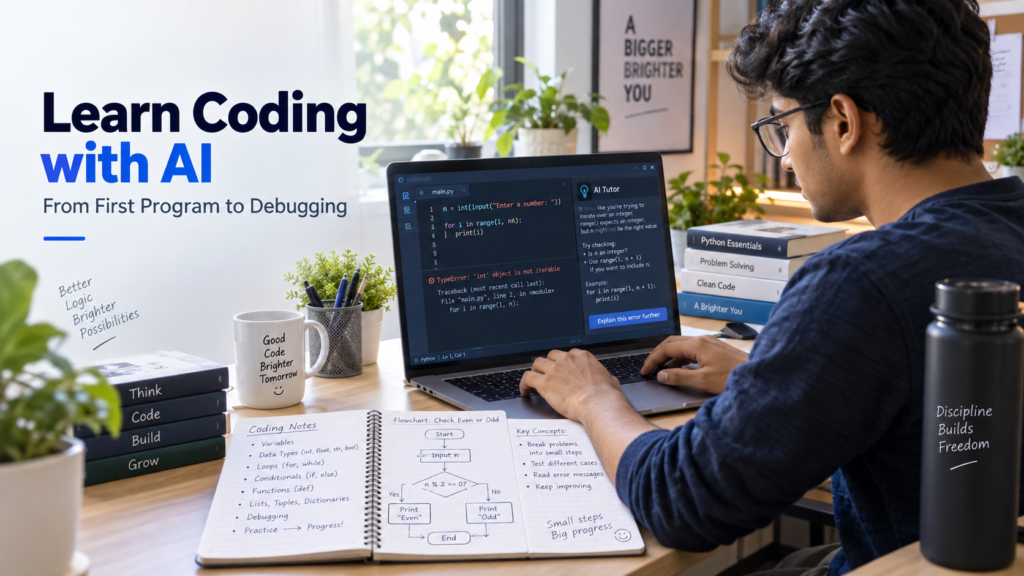
The first time a student sees code, it can look less like a language and more like a wall of symbols.
Brackets appear in strange places. A missing bracket, quotation mark, or small typing mistake can break something that looked perfectly fine a moment earlier. An error message may be longer than the program itself. Even a simple task such as printing one line of text can feel confusing when every word on the screen is unfamiliar.
Using AI to Learn Coding can help students understand errors, get useful hints, practise debugging, and build confidence without depending on generated code.
That is exactly why AI can be useful for beginners learning to code.
Not because AI can write programs faster than a student.
It can.
The real value is that AI can sit between the student and the frustration. It can explain an error in simpler language, give a small hint instead of a full solution, turn one concept into several examples, and help a student understand why code behaves differently from what they expected.
The danger is obvious too.
If a student asks AI to write everything, copies the code, runs it, and moves on, the project may work while the student learns almost nothing.
So the question is not:
Can AI help students code?
It can.
The better question is:
How should a student use AI so that each coding session builds real skill?
The First Program Should Be Small
A beginner does not need to start with an app, a website, or an AI project.
A better first target is something tiny.
For example:
name = input(“What is your name? “)
print(“Hello,”, name)
This is not impressive.
That is exactly why it is useful.
A student can look at each part and ask:
What does input() do?
Why is the answer stored in name?
Why does print() show the result?
What happens if I remove the quotation marks?
What happens if I change the variable name?
Those questions create understanding.
Now imagine asking AI:
“Explain this code line by line as if I have never programmed before. Do not add new code yet.”
That is a productive use of AI.
The student is still looking at real code, but the explanation is adapted to their level.
The next move should not be to ask for a more complicated program.
It should be to change the small program themselves.
Maybe ask for age instead of name.
Maybe print two inputs.
Maybe create a simple greeting.
Coding skill grows when students touch the code, break it, repair it, and notice what changed.
The Moment an Error Appears Is Usually the Best Learning Moment
Beginners often see an error as proof that they are bad at coding.
Experienced programmers see errors constantly.
The difference is that experienced programmers have learned how to read them.
Suppose a student writes:
age = input(“Enter your age: “)
print(age + 5)
Then Python complains.
The easiest response is to paste the entire code into AI and ask:
“Fix this.”
The better response is:
“Explain what this error means. Do not give me the corrected code yet. Tell me what kind of value input() returns and why adding 5 causes a problem.”
Now the student discovers the issue: input is being treated as text rather than a number.
That lesson is bigger than one broken program.
It introduces the idea of data types.
One error has now become a concept.
This is how AI can make debugging educational instead of automatic.
Use AI Like a Hint Button, Not a Rescue Button
There is a useful difference between these two requests:
“Write the answer.”
and
“Give me one hint.”
The second keeps the student inside the problem.
Imagine a student wants to write a program that checks whether a number is even or odd.
They know they need an if statement, but they cannot remember how to check divisibility.
Instead of generating the whole program, they can ask:
“I am trying to check whether a number is even or odd in Python. Give me one clue about which operator I should use, but do not write the full solution.”
The answer may point them toward the remainder operator.
Now they still need to build the condition.
If they get stuck again, they can ask for another clue.
That process is slower than copying a finished answer.
It is also much more likely to create memory.
One Concept, Three Versions
Beginners often understand a coding concept only in one specific example.
They learn a loop that prints numbers from 1 to 10.
Then they see a different loop and feel lost again.
AI can help by changing the context while keeping the concept the same.
Take loops.
A student could ask for three simple examples:
- print numbers,
- repeat a message,
- go through items in a list.
Then they can compare them.
The syntax changes slightly, but the idea remains:
repeat an action.
This is a strong learning technique because it teaches the concept behind the code rather than one memorized example.
The same approach works with:
- variables,
- conditions,
- functions,
- lists,
- dictionaries,
- classes,
- arrays,
- loops,
- exceptions.
Instead of asking for more theory, ask for another version.
Sometimes variety teaches faster than explanation.
Let AI Ask the Questions
Most students use AI by asking questions.
A better coding session sometimes works in reverse.
Tell AI:
“I have just learned Python variables and data types. Ask me five short questions one at a time. Do not reveal the answer until I respond.”
Now the student becomes active.
The AI can ask:
What is the difference between an integer and a string?
What type of value is 3.14?
What happens if you combine text and a number incorrectly?
Why might you convert user input?
That kind of conversation exposes weak understanding quickly.
A student may think they understand a topic because the tutorial looked easy.
Being asked to explain it is different.
Build Something Slightly Personal
Generic exercises are useful, but students often learn faster when the program connects to something familiar.
Instead of:
“Create a calculator.”
try:
“Create a study-time calculator that tells me how many hours I studied this week.”
Instead of:
“Make a list program.”
try:
“Make a program that stores my five subjects and prints them one by one.”
Instead of:
“Practise conditions.”
try:
“Make a simple marks checker that tells me whether I passed.”
The program does not need to be useful to anyone else.
It needs to be meaningful enough that the student cares about the result.
AI can help brainstorm these tiny personal projects without writing them completely.
A good request might be:
“I know variables, input, if statements, and loops. Suggest five tiny projects I can build using only those concepts. Do not include solutions.”
Now the student receives project ideas without losing the learning challenge.
Ask AI to Review Your Code, Not Replace It
Once a student has written something that works, AI can still help.
But the question should change.
Instead of:
“Make this code better.”
ask:
“Review this beginner code. Tell me which part is hard to read, which part is repeated, and one improvement I could make myself. Do not rewrite the entire program.”
This teaches code quality.
Students can begin noticing things such as:
- unclear variable names,
- repeated code,
- unnecessary conditions,
- long functions,
- confusing formatting.
At this stage, the goal is no longer just:
Does the code run?
The question becomes:
Can another person understand it?
That is a major step in learning programming.
AI Is Especially Useful for Error Messages
Error messages are one of the biggest barriers for beginners because they are written for developers, not always for learners.
A student may see something like:
IndexError: list index out of range
and have no idea what “index” means.
AI can translate.
A useful request:
“Explain this error in simple language, then show me a tiny unrelated example that causes the same kind of error. Do not fix my code yet.”
This is powerful because the student separates the error type from the specific project.
Now they learn:
the problem is not “my project is broken.”
The problem is “I tried to access a position that does not exist.”
That idea becomes reusable in future programs.
Do Not Skip the Documentation Habit
AI is convenient, but students should not become dependent on conversational explanations for everything.
Programming requires learning how to read documentation.
At first, documentation can feel difficult.
AI can help bridge the gap.
Suppose a student is reading documentation for Python’s split() method and finds it confusing.
Instead of ignoring the documentation and asking AI for the answer, they can paste the short relevant explanation and ask:
“Explain this documentation in simpler language and give me one example.”
Then return to the original documentation.
This builds an important habit:
AI explains. Documentation confirms.
Students who learn only from AI may struggle later when they need to use a library, framework, or tool that requires reading technical references.
The Best Debugging Question Is Often “Where?”
Students often ask:
“Why doesn’t my code work?”
That question is too broad.
A better debugging process asks smaller questions.
Where does the value become wrong?
Where does the program stop?
Where does the output change?
Where does the assumption fail?
AI can help students think this way.
For example:
“Do not fix my code. Help me find which line I should test first and what value I should print there.”
This encourages debugging techniques such as:
- printing intermediate values,
- checking conditions,
- testing one function at a time,
- reducing the problem,
- tracing variable changes.
These are real programming habits.
A Small Project Can Teach More Than Ten Tutorials
At some point, the student should stop consuming lessons and build something.
Not a giant project.
Something that can realistically be completed.
Examples:
- quiz game,
- expense tracker,
- password strength checker,
- study timer,
- number guessing game,
- simple to-do list,
- flashcard program,
- basic calculator.
The project will create problems that tutorials did not prepare the student for.
That is good.
Maybe the user enters unexpected data.
Maybe a loop never stops.
Maybe the list becomes empty.
Maybe a function returns the wrong value.
Those problems force the student to connect concepts.
AI can support the project, but one rule helps:
Never accept code you cannot explain.
If AI suggests five lines and one line is unfamiliar, stop.
Ask what it does.
Rewrite it yourself.
Then continue.
A Better Way to Measure Coding Progress
Students sometimes measure progress by the number of tutorials completed.
That can be misleading.
A student may finish ten Python videos and still struggle to create a small program without instructions.
A better measure is independence.
Can you create a variable without looking it up?
Can you write a simple condition?
Can you read a basic error?
Can you change working code without breaking everything?
Can you explain what a function does?
Can you build something small from a blank file?
AI should gradually appear less often as these skills improve.
At the beginning, you may ask for help every few minutes.
Later, you may only use it when debugging something unusual.
That reduction in dependence is progress.
When AI Gives Code You Do Not Understand
This will happen.
AI may suddenly introduce:
- a shorter syntax,
- a new library,
- a more advanced function,
- an unfamiliar programming pattern.
Do not assume the advanced version is automatically better for you.
A beginner-friendly solution you understand is often more valuable than a clever solution you cannot explain.
Ask:
“Rewrite this using only the concepts I already know: variables, loops, conditions, and functions.”
That keeps the difficulty appropriate.
Programming is not a competition to write the shortest code.
At the learning stage, clarity matters more.
A Student Learning Session Could Look Like This
Imagine a 45-minute session.
For the first ten minutes, the student reviews one concept.
Then they attempt two small exercises without AI.
On the third problem, they get stuck.
They ask AI for one hint.
They solve the problem.
Then they ask AI to create another similar problem with different values.
They solve that one independently.
For the final fifteen minutes, they add one feature to a small project.
An error appears.
Instead of requesting a full fix, they ask what the error means and where to investigate.
By the end of the session, the student has not produced hundreds of lines of code.
But they have practised thinking.
That is the skill that matters.
Where AI Should Stop
AI can explain syntax.
It can suggest examples.
It can identify mistakes.
It can generate practice.
It can review code.
But there is one part it should not take away:
the moment when a student looks at an empty editor and decides what to write.
That uncomfortable pause is part of learning.
If AI always fills the blank page first, the student never practises starting.
So sometimes the best learning decision is to close the AI window for twenty minutes and try.
Only open it when you have a specific question.
From “I Can Follow Code” to “I Can Write Code”
That is the real journey.
At first, students can only follow examples.
Then they begin changing examples.
Then they solve small problems.
Then they debug their own mistakes.
Then they build small projects.
Eventually, they stop thinking:
“What code should I copy?”
and start thinking:
“What does my program need to do next?”
AI can make that journey less frustrating, but it cannot replace it.
The strongest way to use AI while learning coding is simple:
write something first, struggle with it a little, ask a precise question, understand the answer, and then continue on your own.
If a student keeps doing that, AI does not become a shortcut around coding.
It becomes a tutor that gradually teaches the student how to need less help.
Also Read:
How to Learn AI Skills in 2026
A beginner-friendly path for building useful AI skills through practice, projects, and consistent learning.
How to Use ChatGPT for Beginners: Complete Guide 2026
Learn how to ask better questions, understand responses, and use ChatGPT effectively as a beginner.
Best AI Tools for Beginners
Explore beginner-friendly AI tools that can help with learning, productivity, writing, and everyday tasks.
Free AI Tools for Students in 2026
Discover useful free AI tools for study support, research, presentations, writing, and academic productivity.
Best ChatGPT Prompts for Students
Find practical prompts students can adapt for explanations, practice, brainstorming, and learning new concepts.