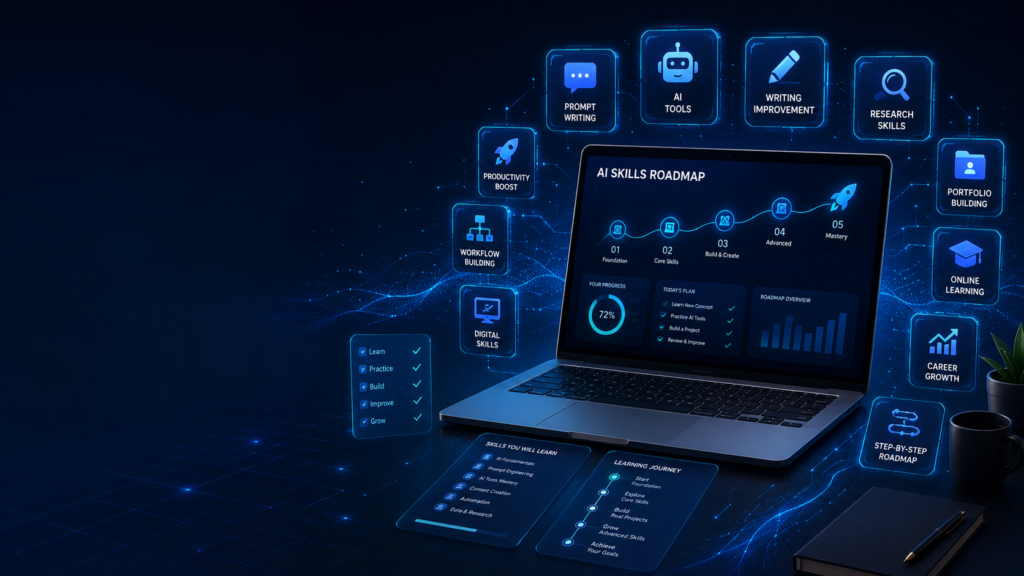
Learning AI in 2026 does not mean you must become a scientist, coder, or machine learning engineer. Many beginners think AI is only for technical people, but that is not true anymore. Today, AI skills are useful for students, freelancers, business owners, teachers, content creators, marketers, office workers, and anyone who wants to work smarter.
AI is becoming a normal part of digital life. People use it to write better, plan faster, learn new topics, create images, edit videos, organize work, analyze information, and build online income skills. Because of this, learning AI is no longer optional for many people. It is becoming a basic digital skill.
But beginners often feel confused. There are too many tools, too many videos, too many opinions, and too many promises online. Some people say you need coding. Some say you can earn money in one week. Some say AI will replace every job. This creates more confusion than clarity.
The truth is simple: AI skills can be learned step by step.
You do not need to learn everything in one day. You only need a clear roadmap. In this guide, you will learn how to start learning AI skills in 2026 in a practical, beginner-friendly, and realistic way.
What Does Learning AI Skills Really Mean?
Before starting, it is important to understand what “AI skills” actually means.
For most beginners, learning AI does not mean building an AI model from zero. It means learning how to use AI tools properly to solve real problems.
This includes knowing how to ask better questions, write better prompts, check AI answers, use AI for daily work, create useful content, improve productivity, and apply AI in your field.
For example, a student can use AI to understand a difficult topic. A freelancer can use AI to write better proposals. A teacher can create worksheets faster. A YouTuber can plan video scripts. A small business owner can write product descriptions and customer replies.
These are practical AI skills.
Later, if you want to go deeper, you can learn coding, automation, data analysis, machine learning, or AI app development. But for beginners, the first step is learning how to use AI clearly and responsibly.
Step 1: Build Basic Digital Confidence
Before learning advanced AI skills, you should be comfortable with basic digital tasks. This does not mean you need to be an expert. You only need simple confidence.
You should know how to use a browser, search properly, create documents, save files, upload images, use email, work with online tools, and organize your digital work.
Many beginners fail with AI not because AI is difficult, but because their basic digital workflow is weak. They do not save their prompts, they lose useful outputs, they cannot organize files, and they do not know how to compare information.
Start by improving your basic digital habits.
Create folders for your work. Save useful prompts. Keep notes of what works. Learn how to copy, edit, and improve outputs. This small foundation will make your AI learning journey much easier.
Step 2: Learn Prompt Writing
Prompt writing is one of the most important AI skills for beginners. A prompt is the instruction you give to an AI tool. If your prompt is weak, the answer will usually be weak. If your prompt is clear, the output becomes much better.
Many beginners write prompts like:
Write an article.
Give me ideas.
Explain this.
These prompts are too general.
A better prompt gives context. It tells AI what you want, who the audience is, what tone you need, and what format you expect.
For example:
Write a beginner-friendly explanation of AI for students in simple English. Use short paragraphs and real-life examples.
This prompt is much better because it gives direction.
A good prompt usually includes:
Topic
Audience
Goal
Tone
Format
Length
Example or instruction
Prompt writing is not about using complicated words. It is about giving clear instructions.
The more clearly you explain your need, the better result you get.
Step 3: Learn How to Check AI Answers
One big mistake beginners make is trusting AI too much. AI can be helpful, but it can also make mistakes. Sometimes it gives outdated information. Sometimes it sounds confident even when the answer is not correct.
That is why fact-checking is an important AI skill.
If you are using AI for general ideas, planning, writing improvement, or brainstorming, it can be very useful. But if you are using it for medical, legal, financial, technical, or current information, you must verify the answer from trusted sources.
Even for simple work, you should read the output carefully.
Ask yourself:
Does this answer make sense?
Is the information accurate?
Is anything missing?
Does it sound too generic?
Can I improve it with my own knowledge?
AI should not replace your judgment. It should support your thinking.
A smart AI user does not copy blindly. A smart AI user checks, edits, and improves.
Step 4: Use AI for Learning New Topics
One of the best ways to learn AI skills is to use AI for learning itself. You can ask AI to explain topics in simple language, create examples, make summaries, and test your understanding.
For example, if you want to learn digital marketing, you can ask AI to explain SEO, email marketing, content strategy, and social media planning. If you want to learn business, you can ask for simple explanations of pricing, customer service, and branding.
AI can also create learning plans.
For example:
Create a 30-day beginner roadmap to learn content writing.
Create a weekly plan to learn basic video editing.
Explain SEO like I am a complete beginner.
Give me practice tasks after each lesson.
This makes learning more structured.
But remember, learning is not only reading AI answers. You should practice. If you learn writing, write something. If you learn design, create a design. If you learn YouTube, make a video plan. Practical work is what builds real skill.
Step 5: Learn AI for Writing and Communication
Writing is one of the easiest and most useful areas to start with AI. Almost every field needs writing in some form.
Students write assignments. Freelancers write proposals. Business owners write messages. Creators write scripts. Job seekers write resumes and emails. Website owners write articles.
AI can help you improve writing by making it clearer, more organized, and more professional.
You can use AI to:
Create outlines
Improve grammar
Rewrite confusing sentences
Make text simpler
Write email drafts
Create captions
Prepare scripts
Summarize long notes
Improve tone
But do not let AI remove your voice completely. If everything sounds too polished and robotic, people may not connect with it.
The best method is simple: write your own rough version first, then use AI to improve it.
This keeps your work original and helps you learn.
Step 6: Learn AI for Research and Idea Generation
AI is useful for brainstorming. It can help you generate ideas for articles, videos, projects, products, business posts, study plans, and learning topics.
But idea generation should not be random. You should always connect ideas with a real goal.
For example, instead of asking:
Give me content ideas.
Ask:
Give me 20 beginner-friendly blog ideas for an AI education website. The audience is people who are new to AI and want practical learning.
This gives better results.
After AI gives ideas, filter them. Some ideas may be too common. Some may not match your audience. Some may need more research. Choose only the ideas that are useful and realistic.
AI can help you think faster, but your selection makes the result valuable.
Step 7: Learn AI for Design and Visual Content
You do not need to become a professional designer to use AI for visual content. But learning basic design thinking is useful.
AI can help you create image ideas, thumbnail concepts, banner prompts, social media post ideas, presentation layouts, and visual directions.
For example, if you are creating a blog featured image, AI can help you describe the scene, colors, layout, text area, and style. If you are creating a YouTube thumbnail, AI can suggest a clean structure with main subject, background, and short text.
But design still needs human review.
Check whether the image is readable, clean, and suitable for your brand. Do not use random visuals only because they look attractive. A good visual should support the message.
For beginners, focus on clarity first. Fancy design is not always better.
Step 8: Learn AI for Productivity
AI can help you organize your daily work. This is one of the most underrated AI skills.
You can use AI to create schedules, task lists, weekly plans, checklists, reminders, project steps, and simple workflows.
For example, if you want to publish one blog article, AI can help create a checklist:
Choose topic
Create outline
Write article
Check uniqueness
Add headings
Create featured image
Add meta description
Add internal links
Publish
Request indexing
This kind of workflow reduces confusion.
AI can also help break big tasks into smaller steps. This is useful for beginners because big goals often feel scary. Smaller steps feel manageable.
Step 9: Learn AI for Your Own Field
After learning basic AI skills, the next step is applying AI to your own field.
This is where real value starts.
If you are a student, learn AI for notes, revision, flashcards, and exam planning.
If you are a freelancer, learn AI for proposals, client messages, portfolio improvement, and productivity.
If you are a teacher, learn AI for lesson plans, worksheets, quizzes, and feedback.
If you are a creator, learn AI for scripts, titles, thumbnails, and content calendars.
If you are a business owner, learn AI for customer replies, offers, product descriptions, and marketing ideas.
Do not learn AI randomly forever. Connect it to your real work.
The goal is not to know every AI tool. The goal is to use AI to solve your real problems.
Step 10: Build a Small Portfolio
If you want to use AI skills for career growth or online earning, start building a small portfolio.
A portfolio does not need to be complicated. It only needs to show what you can do.
For example, you can create:
5 AI-written blog samples edited by you
10 social media caption samples
3 YouTube script samples
5 thumbnail concepts
A simple AI workflow document
A content calendar sample
A product description sample
A case study of how AI saved time
This helps you prove your skill.
Learning without output is weak. Learning with samples becomes stronger.
If someone asks what you can do with AI, your portfolio should answer.
30-Day Beginner Roadmap to Learn AI Skills
Here is a simple 30-day roadmap for beginners.
Week 1: Understand AI Basics
Learn what AI tools can and cannot do. Practice writing simple prompts. Use AI to explain easy topics. Learn how to check answers.
Goal: become comfortable using AI.
Week 2: Practice Writing and Research
Use AI to create outlines, summaries, email drafts, captions, and simple articles. Learn how to edit AI output and make it sound natural.
Goal: improve communication skills.
Week 3: Apply AI to Real Tasks
Choose your field. Use AI for your real work. Create a study plan, content plan, business message, lesson plan, or YouTube script.
Goal: connect AI with practical use.
Week 4: Build Workflow and Portfolio
Create a repeatable workflow. Save your best prompts. Build 3 to 5 sample projects. Review what you learned and improve weak areas.
Goal: turn learning into usable skill.
This roadmap is simple, but it works if you practice daily.
Common Mistakes Beginners Should Avoid
Do not try to learn every AI tool at once.
Do not copy AI output without editing.
Do not trust every answer blindly.
Do not think AI will make you successful without effort.
Do not ignore basic skills like writing, research, and communication.
Do not use AI only for shortcuts.
Do not stop practicing after watching tutorials.
AI learning is not about collecting tools. It is about building useful habits.
Final Thoughts
Learning AI skills in 2026 is one of the smartest steps a beginner can take. AI can help you study better, work faster, create content, improve communication, organize tasks, and build digital skills for the future.
But the best AI users are not the people who know the most tools. They are the people who know how to think clearly, give good instructions, check answers, and apply AI to real problems.
Start small. Learn prompt writing. Practice daily. Use AI for real tasks. Build samples. Improve your workflow slowly.
AI is not a shortcut to avoid learning. It is a tool that can make learning more powerful.
If you use it honestly and consistently, AI can become a strong skill for your personal growth, career, and online work.
Want to learn AI in a simple way? Explore more beginner-friendly AI guides on AI Sikhoo and start building your digital skills step by step.
FAQ
Can beginners learn AI skills in 2026?
Yes, beginners can learn AI skills in 2026 by starting with simple tools, prompt writing, writing improvement, research, productivity, and practical daily tasks.
Do I need coding to learn AI?
No, you do not need coding to start learning AI. Coding is useful for advanced AI development, but beginners can start with no-code AI tools.
What is the first AI skill to learn?
The first AI skill to learn is prompt writing. Clear prompts help you get better answers from AI tools.
Can AI skills help in online earning?
Yes, AI skills can help in freelancing, content writing, blogging, YouTube planning, social media work, digital products, and business support.
How long does it take to learn basic AI skills?
A beginner can learn basic AI skills in 30 days with regular practice, but becoming confident takes continuous use.
Is AI learning useful for students?
Yes, AI learning is useful for students because it can help with explanations, notes, summaries, revision, writing, and time management.
What is the best way to practice AI skills?
The best way is to use AI for real tasks, edit the output, save useful prompts, and build small sample projects.
Also Read:
Best AI Tools for Beginners
Discover beginner-friendly AI tools that can help with writing, planning, research, productivity, and daily digital work.
How to Use AI for YouTube in 2026
Learn how beginners can use AI for YouTube video ideas, scripts, hooks, thumbnails, Shorts, titles, descriptions, and content calendars.
AI Tools for Freelancers in 2026
Learn how freelancers can use AI for proposals, client replies, content ideas, productivity, portfolio improvement, and online work.
Best AI Tools for Teachers in 2026
Learn how teachers can use AI for lesson planning, worksheets, quizzes, feedback, parent messages, and classroom activities.
How to Make Money with AI in 2026
Learn practical ways beginners can use AI for freelancing, blogging, content creation, digital products, and online earning.