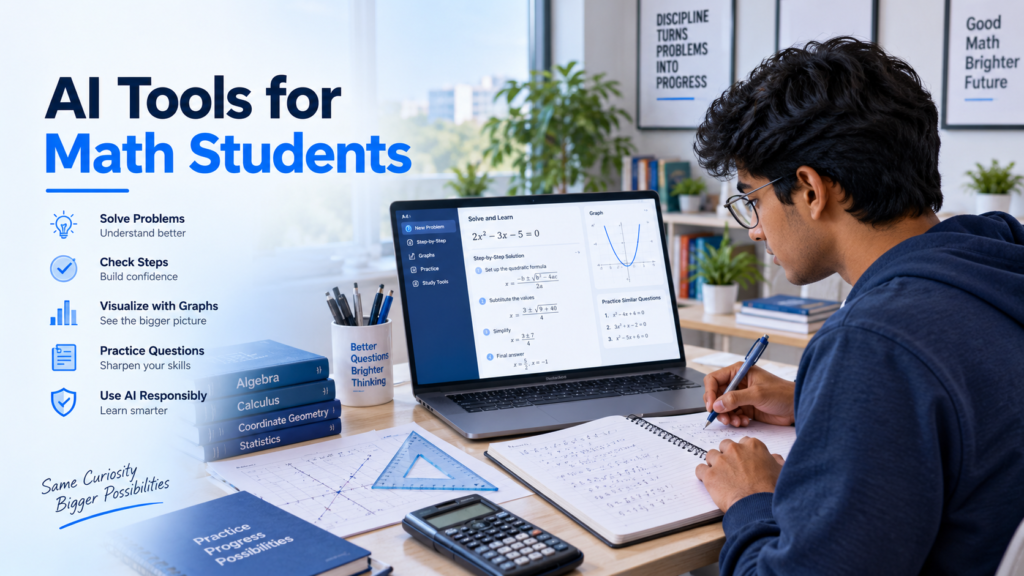
Math is one of those subjects where understanding an example and solving a question independently can feel like two completely different skills.
A teacher may solve an equation on the board, and every step seems easy to follow. But when a similar question appears in homework, the student may suddenly wonder where to begin.
AI Tools for Math Students can make it easier to understand difficult steps, identify mistakes, visualize concepts, and create targeted practice questions.
That gap is where AI can become useful.
The wrong way to use AI for mathematics is simple: upload a question, copy the final answer, and move to the next problem.
The better way is to use AI to understand why a step works, where a mistake happened, what concept is weak, and what to practise next.
For math students, the best AI tool is not necessarily the one that solves the fastest. It is the one that helps you become less dependent on it over time.
This guide looks at useful AI and digital math tools students can use in 2026 for calculations, equations, graphs, explanations, practice, and mistake checking.
What Makes an AI Tool Useful for Math Students?
A useful math tool should do more than display an answer.
It should help you understand at least one of these things:
- what method is being used,
- why that method works,
- where your own solution went wrong,
- how a formula connects to a graph,
- or what kind of question you should practise next.
Suppose a tool tells you:
x = 5
That gives you a result.
But if it helps you understand why the same operation must be performed on both sides of an equation and then gives you another similar question to solve alone, it is helping you learn.
That difference matters.
Photomath: Useful for Checking Steps After You Try
Photomath can be useful when you are working with a textbook, worksheet, or written math problem and want to inspect the solution process.
The important part is when you use it.
Try the problem first.
Then use the tool to compare your steps.
For example, imagine you are solving:
3x + 6 = 21
You get an answer, but you are not sure whether the method is correct.
Instead of looking immediately at the final solution, compare your working one line at a time.
Find the first point where your solution becomes different.
That first difference is usually more valuable than the final answer.
This approach can help students with arithmetic, fractions, algebra, equations, functions, and other common math problems.
A good question to ask yourself is:
Why was this operation performed at this step?
If you cannot answer that, spend more time on the method before moving on.
Wolfram Alpha: Useful for Verification and Mathematical Exploration
Wolfram Alpha can be helpful when mathematics becomes more technical.
Students can use computational tools like this to investigate equations, functions, graphs, derivatives, integrals, statistics, and mathematical relationships.
The best workflow is not:
Ask tool → copy result
Use:
Solve yourself → verify → investigate differences
For example, if you calculate a derivative manually, you can use a mathematical tool afterward to check the result.
If the results are different, do not simply replace yours.
Go back through your steps and find out why.
This turns verification into learning.
It can also be useful for exploring questions such as:
- What happens when a value in a function changes?
- How does a graph move when a parameter increases?
- What happens to the result when an input becomes larger?
- Does my calculated answer look reasonable?
These small experiments can make abstract mathematics easier to understand.
Symbolab: Helpful When a Solution Skips Too Many Steps
One frustrating part of studying math is opening a textbook and seeing a solution jump from one line to another without explaining what happened in between.
Symbolab can be useful when students need a more detailed look at mathematical working.
This can be particularly helpful for algebra and higher-level calculations.
But simply reading every step is not enough.
Try this method:
- Solve as much as you can yourself.
- Compare your work with the worked solution.
- Find the first step you do not understand.
- Explain that step in your own words.
- Close the solution.
- Solve another similar question.
Reading a solution creates familiarity.
Solving a new problem creates skill.
Students often confuse the two.
GeoGebra: Best for Students Who Need to See the Math
Not every student learns mathematics well from formulas alone.
Sometimes seeing a mathematical idea move or change makes the concept much easier to understand.
GeoGebra is especially useful for areas such as:
- graphs,
- coordinate geometry,
- functions,
- angles,
- transformations,
- shapes,
- and visual relationships.
Consider the equation:
y = mx + c
You can memorize what m and c represent.
But seeing the line change while adjusting those values makes the relationship easier to understand.
The best way to use a visual math tool is to make a prediction first.
Ask:
“If I increase this value, what do I think will happen?”
Then test it.
That turns the software into a math experiment instead of just a graph generator.
ChatGPT: Useful When You Ask for Tutoring Instead of Answers
A conversational AI tool can help with math, but the prompt matters enormously.
Avoid starting with:
“Solve this question.”
Instead, try:
“Here is my working. Do not give me the final answer. Show me only the first incorrect step and give me one hint.”
That changes AI from an answer machine into something closer to a tutor.
Students can also use conversational AI to:
- simplify difficult explanations,
- generate practice questions,
- compare two solution methods,
- explain math vocabulary,
- create short quizzes,
- identify repeated mistakes,
- or increase the difficulty gradually.
For example:
“Give me five linear equation questions. Start easy and increase the difficulty. Wait for my answer after every question.”
Or:
“Explain permutation and combination using one simple real-life example, then test me with three questions.”
Because general AI tools can occasionally make mathematical mistakes, important calculations should still be checked using your class material, teacher guidance, or a dedicated mathematical tool.
Khan Academy and AI-Assisted Tutoring: Useful for Building Weak Foundations
Sometimes the problem is not one difficult question.
The entire chapter feels weak.
In that situation, randomly solving questions with an AI chatbot may not be enough.
A structured learning platform such as Khan Academy can be more useful because students can move through concepts in an organized sequence.
For example, a student struggling with quadratic equations may actually have gaps in:
- multiplication,
- factorisation,
- algebraic manipulation,
- graphs,
- or solving equations.
Trying to fix only the final topic may not work if the foundation is weak.
Structured practice helps students identify and rebuild those missing skills.
Where interactive tutoring features are available, students can use them to ask questions while still following a learning path.
Which Math Tool Should You Choose?
You do not need every tool.
Choose according to the problem you are trying to solve.
Use Photomath when:
You want to compare your written solution with step-by-step working.
Use Wolfram Alpha when:
You want to verify calculations, explore functions, or investigate mathematical relationships.
Use Symbolab when:
You need to understand detailed algebraic or calculation steps.
Use GeoGebra when:
You need to visualize graphs, geometry, or changing values.
Use ChatGPT when:
You want hints, explanations, quizzes, mistake analysis, or custom practice.
Use a structured learning platform when:
You need to rebuild an entire weak topic rather than solve one question.
The goal is not to collect apps.
The goal is to use the right tool at the right moment.
A Better AI Workflow for Math Problems
A simple five-step process can make AI much more useful.
Step 1: Attempt the Question Yourself
Before opening any tool, write something.
Write the formula you think applies.
Draw the diagram.
Substitute the known values.
Try the first step.
Even an incomplete attempt gives you something to analyse.
Step 2: Ask for One Hint
If you are stuck, do not immediately ask for the solution.
Ask:
“Give me one hint about what I should do next.”
Try again.
Only request another hint if you still cannot continue.
Step 3: Compare Your Method
Once the question is solved, compare your method with another valid method.
Sometimes mathematics has more than one correct route.
Understanding that can improve problem-solving flexibility.
Step 4: Explain the Solution Without AI
Close the solution.
Explain the method aloud or rewrite it from memory.
If you cannot explain why an important step happened, you probably need more practice.
Step 5: Solve One Similar Problem Alone
This is the most important part.
Ask AI to create another problem using the same concept but different values.
Then solve it without assistance.
That second problem tells you whether you actually learned anything.
Example: Let AI Find the Mistake, Not Solve Everything
Imagine a student solves:
2(x + 4) = 18
like this:
2x + 4 = 18
2x = 14
x = 7
Instead of asking AI for the correct solution, the student can say:
“Check my working. Do not solve the whole equation. Tell me only the first incorrect step and explain what I did wrong.”
The key mistake is in expanding the bracket.
The 2 must multiply both terms.
The student can then correct the step and continue independently.
This habit works with much harder mathematics too.
Find the first mistake → understand it → fix it → continue yourself.
Use AI to Generate Better Math Practice
Practice generation is one of the most useful uses of AI for math students.
Instead of solving the same textbook example repeatedly, ask for variations.
For example:
“Create six percentage problems using shopping, exam marks, population, and profit. Do not show the answers until I submit mine.”
Or:
“Give me four quadratic equation problems. Make the first two easier and the next two more challenging.”
You can also create mixed practice:
“Create a 15-minute quiz covering fractions, percentages, and ratios. Mix the topics so I have to decide which method to use.”
Mixed practice is useful because real exams do not always tell you which formula should be applied.
Useful AI Prompts for Math Students
Find My First Mistake
“Check my solution and identify only the first incorrect step. Do not give me the final answer.”
Give Me One Hint
“I am stuck. Give me one small hint and let me try again before giving another.”
Create Similar Problems
“Create five questions based on this concept using different values. Do not include answers yet.”
Make It Harder
“I can solve this type of problem. Give me three harder versions that test the same idea.”
Compare Two Methods
“Show me two valid methods for solving this problem and explain when each method is useful.”
Test Real Understanding
“Ask me five questions that test whether I understand this concept rather than whether I memorized the formula.”
Keep a Math Error Log
One of the best ways to improve math is to stop treating every wrong answer as a separate accident.
Look for patterns.
Create three simple columns:
Mistake | Why It Happened | What to Practise
For example:
Sign error | Rushed subtraction | Negative numbers
Wrong formula | Mixed up area and perimeter | Formula recognition
Expansion mistake | Forgot to multiply every term | Brackets
AI can help organize these mistakes, but the observations should come from your real work.
Over time, you may discover that the problem is not:
“I am bad at mathematics.”
It may actually be:
“I lose marks when negative signs appear in algebra.”
That is much easier to fix.
What Students Should Not Do with AI in Math
Do not copy answers into homework you cannot explain.
Do not assume every generated solution is correct.
Do not stop practising calculations by hand simply because software can do them faster.
Do not skip basic formulas and methods.
And do not measure your progress by how quickly AI solves the question.
Ask yourself instead:
Can I solve the next problem without AI?
That is the better test.
Final Math Study Checklist
Before ending a study session, ask:
- Did I try questions before asking AI?
- Did I understand why the important steps worked?
- Did I verify important answers?
- Did I practise without looking at solutions?
- Did I record repeated mistakes?
- Did I solve at least one fresh question independently?
- Can I explain today’s main concept in simple words?
If most answers are yes, AI is helping you learn mathematics instead of doing the mathematics for you.
Final Thoughts
AI can make math study faster, but speed is not its greatest advantage.
Its greatest advantage is feedback.
Students can receive a hint when stuck, inspect a confusing step, visualize a function, generate fresh practice, compare solution methods, and identify repeated mistakes.
Used poorly, the same tools can turn mathematics into copying answers.
Used well, they can make practice more focused and help students understand exactly where they need improvement.
A useful rule is:
Try first. Ask for help second. Understand the method. Then solve another problem alone.
That final independent problem is where you discover whether the learning actually happened.
Also Read:
Free AI Tools for Students in 2026
Discover useful AI tools for studying, writing, research, productivity, and everyday student tasks.
Best ChatGPT Prompts for Students
Explore practical prompts for explanations, practice questions, revision, quizzes, and smarter learning sessions.
How Students Can Use AI for Homework Without Cheating in 2026
Learn how to use AI for homework support while keeping the final thinking and submitted work your own.
How to Fact-Check AI Answers in 2026
Follow a practical checklist for checking AI-generated facts, calculations, sources, and important claims.
How to Use NotebookLM for Students in 2026
Learn how students can organize study sources, understand difficult material, and build smarter revision workflows.