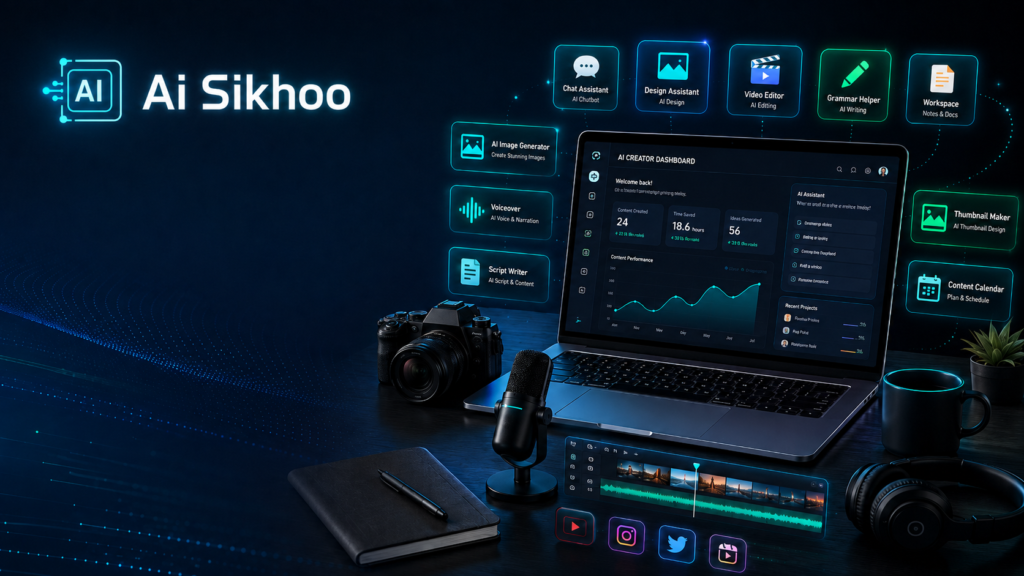
Creating content in 2026 is not just about posting a video, writing a caption, or publishing a blog. A modern creator has to handle many small jobs every day: finding fresh ideas, writing scripts, designing visuals, editing videos, preparing thumbnails, writing descriptions, planning a schedule, and staying active on different platforms. For beginners, all of this can feel like a full-time job before the actual content is even published.
Free AI tools can make this process easier. They help creators work faster, organize ideas better, improve the quality of their content, and reduce repetitive work. The right AI tool can help you start a script, clean up your writing, create a design, edit a short video, plan your content calendar, or generate a voiceover draft. You still need your own creativity and judgment, but AI can support the heavy lifting.
In this guide, we will look at some of the most useful free AI tools for content creators in 2026. These tools are helpful for YouTubers, bloggers, freelancers, students, social media creators, and anyone who wants to create better content without spending a lot of money.
What Makes an AI Tool Useful for Creators?
A good AI tool should solve a real problem. It should not only look modern or trendy. For content creators, the best tools are the ones that save time, improve content quality, and make difficult tasks easier.
For example, a writing assistant can help you turn a rough idea into a clear script. A design tool can help you create a thumbnail without learning advanced graphic design. A video editor can add captions automatically. A planning tool can keep your weekly content schedule organized. These small improvements can make a big difference when you create content regularly.
The main goal is not to let AI replace your voice. The goal is to use AI as a smart assistant so your content becomes easier to produce and more professional to present.
Why Content Creators Should Use Free AI Tools
Many new creators struggle because they try to do everything manually. They spend too much time thinking of ideas, writing from zero, editing slowly, and designing posts without a clear system. AI tools can reduce that pressure.
Free AI tools are especially useful because they allow beginners to test different workflows before paying for premium plans. You can learn which tools fit your content style, your platform, and your daily routine. Once you understand your needs, you can decide later whether a paid version is worth it.
Another benefit is consistency. When you have tools for idea generation, writing, editing, design, and planning, it becomes easier to publish regularly. Consistency is one of the biggest factors in growing a blog, YouTube channel, or social media page.
1. ChatGPT for Ideas, Scripts, and Content Structure
ChatGPT is one of the most practical tools for creators because it can help at almost every stage of content planning and writing. You can use it to generate video ideas, blog outlines, social media captions, YouTube descriptions, email drafts, hooks, headlines, and content calendars.
If you are a YouTuber, ChatGPT can help you create a strong video structure. You can ask it to write a short intro, a step-by-step script, a voiceover, or multiple title ideas. If you are a blogger, you can use it to prepare an article outline, write a meta description, simplify a topic, or create FAQs.
The best way to use ChatGPT is to give clear instructions. Instead of typing, ‘write a script,’ give details about your audience, topic, length, language, and tone. A better prompt would be: ‘Write a 60-second YouTube Shorts script for beginners about free AI tools. Use simple language, start with a strong hook, and end with a call to action.’
Useful for: video scripts, blog outlines, captions, titles, content ideas, emails, and social media posts.
2. Canva AI for Thumbnails, Posts, and Visual Design
Canva is a popular design platform, and its AI features make it even more useful for creators. It is helpful for people who are not professional designers but still want clean and attractive visuals.
You can use Canva to create YouTube thumbnails, Instagram posts, Facebook banners, blog featured images, presentation slides, reels covers, and simple brand graphics. Canva offers ready-made templates, so beginners can start quickly without building every design from zero.
For content creators, thumbnails and social media visuals are very important. A good thumbnail can improve clicks, and a clean blog image can make an article look more professional. Canva helps you create these assets with less effort.
Useful for: thumbnails, blog images, social media posts, banners, presentations, and simple brand graphics.
3. CapCut AI for Short Videos and Quick Editing
CapCut is a strong option for creators who make reels, shorts, tutorials, or social media videos. It is beginner-friendly and works on both mobile and desktop, which makes it easy for creators to edit from anywhere.
One of the most useful features is automatic captions. Captions are important because many people watch videos without sound, especially on social media. CapCut can help you add subtitles quickly, which can improve watch time and viewer understanding.
CapCut also provides templates, transitions, text effects, background removal, and music-based editing features. For creators who publish short-form content regularly, it can save a lot of time.
Useful for: YouTube Shorts, Instagram Reels, Facebook videos, subtitles, templates, transitions, and quick edits.
4. Microsoft Designer or Bing Image Creator for AI Visuals
Creators often need fresh visuals for blogs, thumbnails, posts, and content ideas. AI image tools like Microsoft Designer or Bing Image Creator can help generate custom images from text prompts.
For example, you can describe the image you need: ‘Create a dark premium AI education banner with a laptop, glowing icons, and a clean futuristic desk setup.’ The tool can then generate a visual based on your prompt.
AI-generated images are helpful, but you should still check the final result carefully. Make sure the image is clear, brand-friendly, and not filled with distorted text or strange details. For blog cards and featured images, a clean 16:9 image usually works best.
Useful for: blog images, thumbnail concepts, banners, social media visuals, and creative graphics.
5. Grammarly for Cleaner and More Professional Writing
Writing quality matters, even if your main platform is video. Captions, descriptions, blog posts, emails, and scripts should be clear and easy to read. Grammarly helps improve grammar, spelling, punctuation, and sentence clarity.
The free version is useful for basic corrections. It can help you catch mistakes before publishing and make your writing look more polished. If you create English content, it is a simple tool that can improve your workflow quickly.
Grammarly is especially useful when you write blog articles, YouTube descriptions, LinkedIn posts, or professional emails. It does not replace your own writing style, but it helps clean up mistakes.
Useful for: grammar checks, spelling correction, captions, blog editing, emails, and professional writing.
6. Notion for Content Planning and Organization
Content creation becomes easier when your ideas are organized. Notion is useful for planning topics, storing drafts, creating a content calendar, managing scripts, and tracking publishing dates.
Many creators lose time because their ideas are scattered across notes, messages, and random files. Notion helps bring everything into one workspace. You can create a simple table with columns like topic, platform, status, publish date, and notes.
If you publish regularly, a content calendar can help you stay consistent. You can plan weekly posts, list future video ideas, store thumbnail notes, and track which articles are already published.
Useful for: content calendars, idea lists, video planning, blog drafts, project tracking, and weekly schedules.
7. AI Voice Tools for Voiceovers
Voiceover is important for explainer videos, documentaries, tutorials, and short videos. AI voice tools can help creators test narration quickly or create a draft voiceover for a project.
Tools like ElevenLabs and other free voice platforms can produce realistic voices, although free plans usually have limits. These tools are helpful when you want to test a script, create a sample narration, or produce content without recording your own voice every time.
When using AI voice, always focus on clarity and pacing. A voice that sounds too robotic can reduce viewer interest. The best voiceover should feel natural, easy to understand, and suitable for your audience.
Useful for: explainer videos, tutorials, YouTube narration, reels, product demos, and educational content.
8. Google Gemini for Research and Explanation
Google Gemini can be useful for research, summaries, explanations, brainstorming, and learning new topics. If you create educational or informational content, it can help you understand a subject before turning it into a blog post or video.
You can ask Gemini to simplify a topic, create a list of angles, compare ideas, or summarize information. This can help when you are trying to prepare content quickly and need a starting point.
However, creators should not blindly trust any AI research tool. Important facts should be checked, especially for topics related to health, finance, law, news, or technical claims. AI can help you research faster, but final verification is still your responsibility.
Useful for: research support, summaries, topic explanation, brainstorming, and learning new concepts.
9. Buffer AI Assistant for Social Media Planning
Posting regularly on social media is not easy. Many creators create good content but fail to stay consistent. Buffer can help schedule posts, and its AI assistant can support caption writing and post variations.
This is useful when you want to turn one idea into multiple posts.
For example, a blog article can become a LinkedIn post, an Instagram caption, a Facebook update, and a short tweet-style post. The core idea remains the same, but the tone changes for each platform.
This saves time and helps you get more value from one piece of content.
Still, do not post only for the sake of posting. Make sure every post gives some value, such as a tip, explanation, example, mistake to avoid, or useful resource.
10. Adobe Express for Fast Creative Graphics
Adobe Express is another helpful tool for creators who want quick visual content. It can be used for social media posts, banners, flyers, simple videos, promotional graphics, and branded designs.
It is useful when you want polished graphics without spending too much time on design. For example, you can create a post announcing a new blog article, a carousel for tips, or a simple banner for a guide.
For brand building, visual consistency matters. If your content looks different every time, people may not remember your brand. Try to use a fixed color style and similar design pattern.
This makes your content look more professional over time.
11. Descript for Audio, Video, and Podcast Editing
Creators who make podcasts, tutorials, interviews, or talking videos often spend a lot of time editing. Descript can help with transcription, audio cleanup, and editing.
This type of tool is useful because many creators struggle with traditional editing software. If editing becomes too difficult, they stop publishing regularly.
Good audio is especially important. Viewers may forgive average video quality, but poor audio can make them leave quickly. A clean voice and smooth editing can improve the viewing experience.
If you create educational videos or podcasts, tools like Descript can save time and make the final content more polished.
How to Build a Simple AI Workflow
You do not need to use every AI tool at once. A simple workflow is better than a complicated setup. Start with a few tools and use them consistently.
For example, you can use ChatGPT to generate ideas and outlines, Canva to design images, CapCut to edit videos, Grammarly to polish writing, and Notion to plan your publishing schedule. This basic combination is enough for many beginner creators.
As your content grows, you can add more tools based on your needs. The goal is to make your process smoother, not more confusing.
Tips to Get Better Results from AI Tools
The quality of your AI output depends heavily on the quality of your instructions. Be specific with your prompts. Mention the topic, audience, platform, tone, length, and desired format.
Also, avoid publishing AI-generated content without editing. Add your own examples, opinions, experience, and style. This makes the content more original and more helpful for readers.
AI should support your creativity, not remove your personality. The best creators use AI to speed up the process while still keeping their own voice in the final content.
How to Turn One Content Idea into Multiple Posts
Creating something new every day can become exhausting. A smarter approach is to use one useful idea in several different formats.
For example, one detailed blog article can be converted into:
- A short YouTube script
- Three Instagram or Facebook posts
- A carousel outline
- A short email newsletter
- A list of quick tips
- A question-and-answer post
- A short video or Reel
AI can help reorganize the same information for different platforms, but each version should be edited carefully. A Facebook post should not look exactly like a blog paragraph, and a YouTube Short should not sound like a formal article.
Keep the central message consistent, but adjust the length, opening line, tone, and format for each platform. This helps creators save time without repeatedly publishing the same content.
How to Choose the Right Free AI Tool
A long list of tools is useful only when you know which tool solves your actual problem. Beginners often create accounts on many platforms but do not learn any of them properly.
Start by identifying the task that takes most of your time.
If writing is difficult, begin with a writing assistant. If thumbnails and social posts take too long, focus on a design tool. If short-video editing feels complicated, learn one beginner-friendly editor. If your ideas and drafts are disorganized, use a planning tool.
Before choosing a tool, consider:
- What task will it help you complete?
- Is the free version enough for your current needs?
- Is it easy to learn and use regularly?
- Can you review and control the final output?
- Does it fit your existing content workflow?
Using three or four tools consistently is usually more helpful than switching between many tools every week.
Common Mistakes Content Creators Should Avoid
AI can save time, but poor use of AI can make content generic, inaccurate, or difficult to trust.
The first mistake is publishing AI-generated writing without editing it. Always improve the opening, remove repeated sentences, check facts, and add your own examples.
The second mistake is creating content without understanding the audience. A tool can suggest topics, but real audience questions, comments, and problems should guide your final decision.
The third mistake is using too many tools. Constantly changing platforms can waste more time than it saves.
The fourth mistake is accepting every AI suggestion. Some ideas may be unsuitable for your platform, brand, or readers.
The fifth mistake is forgetting to verify current information. Tool features, free-plan limits, prices, and policies can change. Check important details on the official website before publishing them.
Finally, do not remove your personality from the content. AI should help organize and improve your ideas, but your experience and judgment are what make the final content valuable.
Final Thoughts
Free AI tools can make content creation easier, faster, and more organized. They are especially helpful for beginners who want to improve quality without spending money on a large team or expensive software.
ChatGPT can help with ideas and scripts, Canva can improve design, CapCut can make video editing faster, Grammarly can clean your writing, Notion can organize your schedule, AI image tools can create visuals, voice tools can help with narration, and Gemini can support research.
The best approach is to start small. Pick the tools that solve your biggest problem right now. Learn them properly, create a simple workflow, and keep improving your content step by step. In 2026, creators who learn how to use AI smartly will have a clear advantage.
Also Read
How to Use AI for Blogging in 2026: Beginner Guide
Learn how beginners can use AI to find blog ideas, create outlines, improve writing, work on SEO, and promote blog content.
How to Use AI for YouTube in 2026: Beginner Guide
Discover practical ways to use AI for YouTube video ideas, scripts, hooks, titles, thumbnails, Shorts, and content planning.
Best ChatGPT Prompts for Beginners
Explore simple ChatGPT prompts for writing, learning, content creation, productivity, business, and everyday tasks.
How to Learn AI Skills in 2026: Beginner Roadmap
Follow a practical beginner roadmap for learning prompts, research, writing, productivity, visual content, and real-world AI skills.