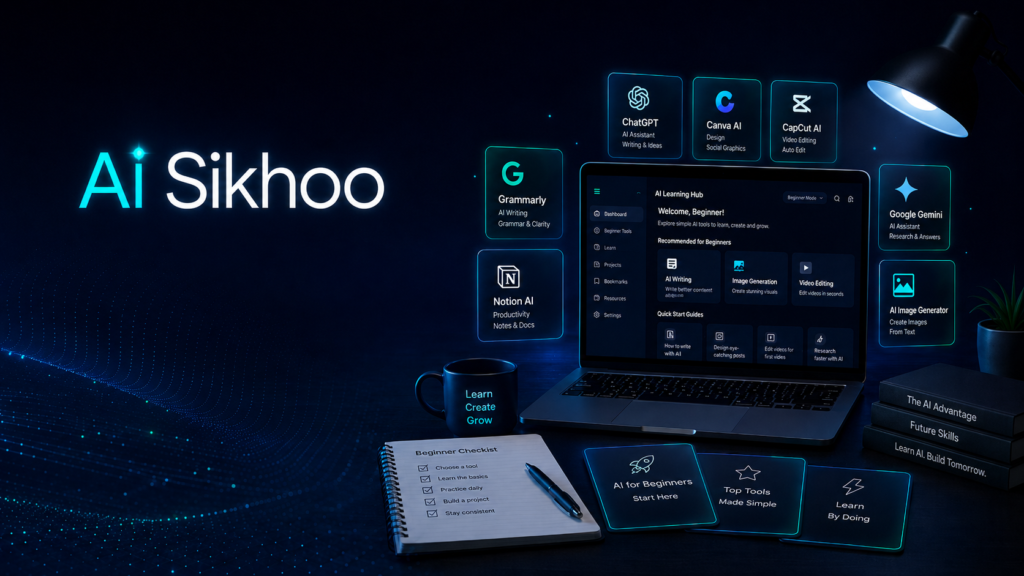
Artificial intelligence can feel confusing when you are just starting. Many people hear about AI every day, but they are not sure which tools are actually useful or how to use them in real work. The truth is simple: you do not need to be a programmer, designer, or tech expert to begin. Today’s AI tools are made for normal users too. Students, creators, freelancers, bloggers, small business owners, and office workers can all use AI to save time and improve the quality of their work.
A beginner should not try to learn every AI tool at once. The better approach is to understand a few useful tools and use them for simple daily tasks. For example, one tool can help you write better content, another can help you design images, and another can help you edit videos. When these tools are used together, they can make your workflow faster and more organized.
This guide explains the best AI tools for beginners in a clear and practical way. Instead of using complicated technical language, we will focus on what each tool does, who should use it, and how it can help in real life.
What Makes an AI Tool Beginner-Friendly?
A beginner-friendly AI tool should be easy to understand, simple to use, and helpful even without advanced skills. A good tool should not force you to learn complex settings before getting results. It should have a clean interface, ready-made options, useful examples, and a free or affordable plan.
For beginners, the best AI tools are the ones that solve common problems. If you struggle with writing, use an AI writing assistant. If design feels difficult, use a simple design tool. If editing videos takes too much time, use a video editor with AI features. The goal is not to use AI for everything. The goal is to use the right tool for the right task.
Why Beginners Should Start Using AI Tools
AI tools can reduce the stress of starting from zero. Many beginners waste time because they do not know how to begin a task. A blank document, an empty design page, or an unedited video can feel overwhelming. AI gives you a starting point. It can suggest ideas, create drafts, organize information, and speed up repetitive work.
Another benefit is confidence. When you use AI correctly, your writing becomes clearer, your designs look cleaner, and your videos become more polished. This does not mean AI will do all the work for you. You still need to review, edit, and add your own thinking. But AI can help you move faster and avoid common beginner mistakes.
Quick Comparison of the Best AI Tools for Beginners
ChatGPT
Best for: Writing, ideas, learning, and planning.
Canva
Best for: Graphics, presentations, and social media design.
CapCut
Best for: Beginner-friendly video editing.
Grammarly
Best for: Grammar, clarity, and writing improvement.
Notion
Best for: Notes, tasks, and work organization.
Google Gemini
Best for: Research support and explanations.
Microsoft Designer
Best for: AI-assisted image and design creation.
AI Voice Tools
Best for: Voiceovers and text-to-speech.
1. ChatGPT
ChatGPT is one of the most useful tools for beginners because it can help with many different tasks. You can use it to write ideas, explain topics, create outlines, improve sentences, plan content, write captions, prepare emails, and generate scripts.
For students, ChatGPT can explain difficult topics in simple words. For bloggers, it can help create article outlines and headline ideas. For YouTube creators, it can prepare video scripts, hooks, descriptions, and title options. Freelancers can use it for client emails, proposals, and project planning.
The quality of the answer depends on the quality of your prompt. A weak prompt gives a basic answer, while a clear prompt gives better output. Instead of saying, “write a blog,” you can say, “Write a beginner-friendly blog outline about AI tools for students, with simple headings and practical examples.” This small change can improve the result a lot.
ChatGPT is best for writing support, brainstorming, learning, planning, and communication. Beginners should use it as a smart assistant, not as a copy-paste machine. Always edit the output and add your own examples.
2. Canva
Canva is a simple design platform that is perfect for beginners. You do not need professional design experience to create good-looking visuals. Canva offers templates for YouTube thumbnails, blog images, Instagram posts, Facebook banners, presentations, posters, resumes, and more.
Canva is useful because it removes the fear of design. You can choose a template, change the text, adjust colors, replace images, and create a professional design within minutes. For content creators and bloggers, Canva is especially helpful for featured images and thumbnails.
Canva also includes smart features that can help with background removal, design suggestions, text effects, and quick visual creation. Beginners can use it to create consistent branding for their website or social media pages.
If you are building a blog, YouTube channel, Instagram page, or online learning website, Canva is one of the easiest tools to start with.
3. CapCut
CapCut is a popular video editing tool that is easy for beginners. Many people want to create videos but avoid editing because it feels difficult. CapCut makes editing simpler with templates, auto captions, transitions, text styles, effects, and mobile-friendly controls.
One of the most useful features is automatic captions. Short videos often perform better when captions are visible because many viewers watch videos without sound. CapCut can generate captions quickly, saving a lot of manual work.
Beginners can use CapCut for YouTube Shorts, Instagram Reels, Facebook videos, tutorials, simple ads, and educational clips. It is also useful for trimming videos, adding music, inserting text, and making content look more professional.
If you are starting with video content, CapCut is a practical tool because it gives you professional-looking results without requiring advanced editing knowledge.
4. Grammarly
Good writing is important in almost every online activity. Whether you write blog posts, emails, social media captions, product descriptions, or YouTube descriptions, your writing should be clear and easy to read. Grammarly helps beginners improve grammar, spelling, punctuation, and sentence clarity.
Grammarly is useful because it catches small mistakes that are easy to miss. It can suggest better words, cleaner sentence structure, and a more professional tone. This is especially helpful for people who write in English but are not fully confident.
For bloggers and freelancers, Grammarly can make content look more polished. For students, it can improve assignments and notes. For business owners, it can improve emails and website text.
The free version is enough for basic corrections, and that makes it a good starting point for beginners.
5. Notion
Notion is not just an AI tool; it is a complete workspace for planning and organizing work. Beginners can use Notion to store ideas, create task lists, plan content calendars, manage projects, write notes, and track progress.
Many beginners fail not because they lack ideas, but because their ideas are scattered. Notion helps keep everything in one place. A blogger can keep article ideas, drafts, keyword notes, and publishing dates in one dashboard. A student can create a study planner. A freelancer can track client projects and deadlines.
Notion AI features can also help summarize notes, improve writing, and generate ideas. However, even without advanced AI features, Notion is still valuable for organization.
If you want to use AI tools seriously, you also need a system to manage your work. Notion is a great tool for that.
6. Google Gemini
Google Gemini can help beginners with research, explanations, summaries, and idea generation. It is useful when you want to understand a topic before creating content around it. You can ask Gemini to simplify a subject, compare ideas, summarize information, or suggest content angles.
For educational content, Gemini can be helpful because it explains topics in a simple way. If you are writing a blog or preparing a video, you can use it to understand the basic points first.
However, beginners should remember one important rule: always verify important information. AI tools can make mistakes. If your topic is related to health, finance, law, news, or technical details, double-check facts before publishing.
Gemini is best used as a research helper and learning assistant, not as the final source of truth.
7. Microsoft Designer or Bing Image Creator
Images are important for online content. A good image can make a blog post, social media post, or video thumbnail look more attractive. Microsoft Designer and Bing Image Creator can help beginners create AI-generated images from text prompts.
You can describe the image you need, such as a modern AI education banner, a laptop with glowing icons, or a creative workspace for content creators. The tool will generate images based on your prompt.
This is helpful for bloggers, YouTubers, and social media creators who do not want to spend hours searching for stock images. It also allows you to create visuals that match your topic more closely.
Always check AI-generated images carefully before using them. Some images may include strange text, distorted objects, or extra details. Choose clean images that look professional and match your brand.
8. AI Voice Tools
AI voice tools can turn text into speech. These tools are useful for people who create videos but do not want to record their own voice. They can help with explainer videos, tutorials, product demos, YouTube narration, and short-form content.
Beginners can write a script, paste it into an AI voice tool, and generate a voiceover. This can save time and make content production easier. However, the voice should sound natural and clear. A robotic voice can reduce viewer interest.
If you use AI voiceovers, choose a voice that fits your content style. Educational content needs a calm and clear voice. Promotional videos may need a more energetic voice.
AI voice tools can be very helpful, but they should be used responsibly and according to platform rules.
How to Build a Simple AI Workflow
A beginner does not need a complicated setup. Start with a simple workflow. Use ChatGPT to generate ideas and outlines. Use Canva to create images. Use CapCut to edit videos. Use Grammarly to improve writing. Use Notion to plan your content. Use Gemini for research support.
This type of workflow is easy to follow and covers most beginner needs. Once you become comfortable, you can add more advanced tools.
The goal is to save time without losing quality. AI should help you work faster, but your personal editing and judgment are still important.
Tips for Getting Better Results from AI
Give clear instructions. The more specific your prompt is, the better the answer will be. Mention the topic, audience, tone, length, and purpose.
Do not publish AI output without reviewing it. Always check grammar, facts, structure, and readability. Add your own experience where possible.
Use AI for support, not dependency. If you rely on AI for everything, your content may sound generic. Your personal voice makes the content more valuable.
Practice one tool at a time. Beginners often get confused because they try too many tools together. Start small and build slowly.
Final Thoughts
AI tools are becoming important for beginners because they make digital work easier. They can help with writing, design, editing, planning, research, images, and voiceovers. You do not need to master every tool immediately. You only need to start with the tools that solve your current problems.
ChatGPT is great for ideas and writing. Canva is useful for design. CapCut helps with video editing. Grammarly improves writing quality. Notion keeps work organized. Gemini helps with research. Image and voice tools can make content more professional.
The best way to learn AI is by using it regularly. Start with simple tasks, improve your prompts, edit the results, and slowly build your skills. AI will not replace your creativity, but it can support your work and help you grow faster in 2026 and beyond.
Also Read:
How to Use ChatGPT for Beginners: Complete Guide 2026
Learn how to use ChatGPT, write better prompts, and get more useful answers.
Top 10 Uses of AI Assistants in Daily Life 2026
Explore practical ways AI assistants can help with learning, writing, planning, and everyday productivity.
Free AI Tools for Students in 2026: Study Smarter with AI
Discover beginner-friendly AI tools for studying, revision, research, and projects.
AI Tools for Freelancers in 2026: Beginner Guide
Learn how freelancers can use AI for writing, planning, client work, and productivity.
AI Tools for Small Business Owners in 2026: Beginner Guide
Explore practical AI tools for customer communication, marketing, planning, and daily business tasks.