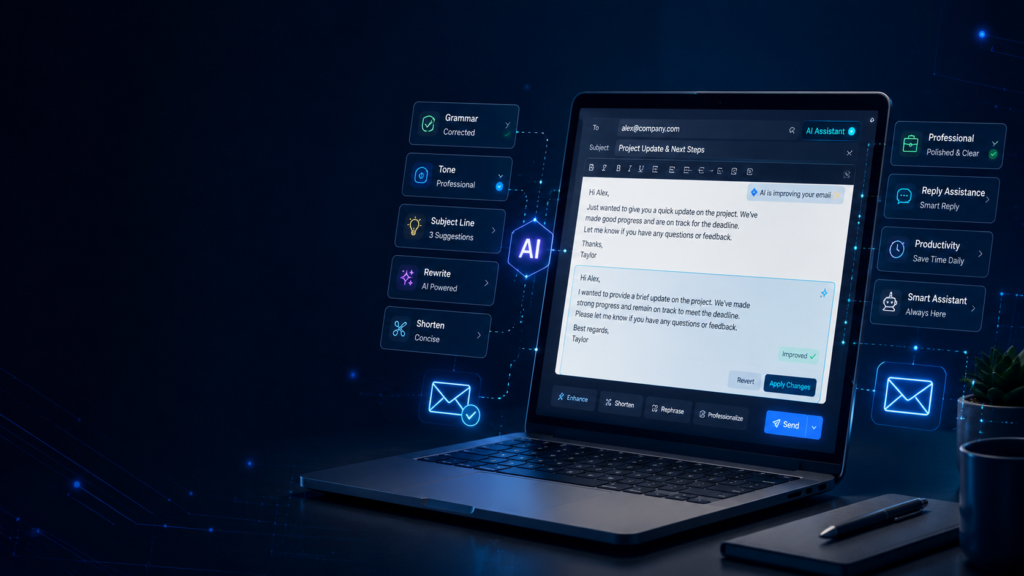
Email remains one of the most important ways to communicate at work, in education, and in business. A clear email can help you get a faster reply, make a good first impression, or move work forward. A confusing email can create delays, misunderstandings, or the wrong tone.
Many people know what they want to say but struggle to write it clearly. Some emails become too long. Others sound too formal, too casual, or rude without meaning to. AI can help solve this problem.
AI email tools can assist with drafting, rewriting, shortening, correcting grammar, and improving tone. However, the best results come when you use AI as an assistant, not as a replacement for your judgment. This guide explains how beginners can use AI for email writing in 2026 while keeping every message accurate, natural, and personal.
What Does AI Email Writing Mean?
AI email writing means using an artificial intelligence tool to create or improve an email. You can give the tool a short instruction, a rough draft, or a few important details. It then suggests a message based on your input.
For example, you could write:
“Draft a polite follow-up email to a client who has not replied for seven days. Keep it professional and under 120 words.”
The AI can create a useful starting point in seconds. You can then check the facts, adjust the tone, and add personal details before sending it.
AI can help with many types of email, including job applications, client proposals, meeting requests, payment reminders, thank-you messages, customer support replies, leave requests, and networking emails.
The goal is not to remove the human part of writing. The goal is to reduce the time spent staring at a blank screen.
Why Use AI for Email Writing?
The biggest advantage is speed. Once you know the purpose of an email, AI can help turn your thoughts into a clear structure. This helps when you are busy or not confident in English.
AI can also improve clarity. It can remove repeated ideas, simplify long sentences, and make the main request easier to understand. It can suggest a more professional tone without making the message feel cold.
Another benefit is consistency. If you send similar emails regularly, such as project updates or appointment confirmations, AI can help you maintain a reliable format.
However, faster writing does not always mean better communication. AI may misunderstand context, invent details, or produce language that sounds generic. Every email still needs a human review.
Step 1: Decide the Exact Purpose
Before using an AI tool, decide what you want the reader to do after reading your email.
Do you want a reply? Approval? A meeting? A document? A payment? An interview?
Instead of asking:
“Write an email to my manager.”
Use a specific prompt:
“Write an email to my manager asking to move Friday’s meeting to Monday afternoon because I have an appointment. Keep it respectful and concise.”
Complete this sentence:
“After reading this email, I want the recipient to…”
If you cannot finish that sentence clearly, the email may not be ready to write.
Step 2: Give AI Enough Context
AI produces better results when it understands the situation. Include the main details without writing a long story.
A useful prompt usually includes:
- Who the recipient is
- Your relationship with that person
- The purpose of the email
- Important dates or facts
- The desired tone
- The preferred length
- The action you want the reader to take
Here is an example:
“Write a professional email to a freelance client. The website design is complete, and I need final approval before publishing it. Ask them to review the homepage and contact page by Thursday. Keep the email warm, confident, and under 150 words.”
Avoid sharing passwords, identification numbers, private financial details, confidential company data, or sensitive personal information. Use placeholders whenever necessary.
Step 3: Ask for a Clear Subject Line
The subject line should explain the topic without sounding vague.
Weak examples include:
- Hello
- Important
- Update
Better examples include:
- Approval Needed for Website Launch
- Follow-Up on Marketing Assistant Application
- Request to Reschedule Friday’s Meeting
- Invoice 1042: Payment Reminder
You can ask AI:
“Give me five clear subject lines for this email. Avoid clickbait and keep each one under eight words.”
Choose the option that matches the real message. Do not use urgent language unless the situation is actually urgent.
Step 4: Generate the First Draft
Once the purpose and context are clear, ask AI to create a first draft. Treat it as raw material, not as a finished email.
A simple prompt formula is:
“Write a [tone] email to [recipient] about [purpose]. Include [important details]. Ask the recipient to [desired action]. Keep it under [word limit].”
Example:
“Write a polite and confident email to a recruiter after a job interview. Thank them for their time, mention my interest in the content writer role, and ask about the next stage. Keep it under 130 words.”
A word limit prevents unnecessarily long drafts. For most professional messages, 80 to 180 words is enough.
Step 5: Make the Draft Sound Human
AI can produce correct but unnatural language. Phrases such as “I hope this message finds you well” are not wrong, but using them in every email can feel repetitive.
Rewrite any sentence that does not sound like you. Add a real detail from the conversation. Remove lines that repeat the same idea.
AI may write:
“I am writing to kindly request your valuable feedback regarding the attached document at your earliest convenience.”
A more natural version is:
“Could you please review the attached document and share your feedback by Wednesday?”
You can also ask:
“Rewrite this email so it sounds natural and professional, not robotic. Use simple English and keep the meaning unchanged.”
Read the final message aloud. If a sentence feels uncomfortable to say, it may also feel unnatural to read.
Step 6: Adjust the Tone
The right tone depends on the recipient.
A close colleague may receive a friendly message. A new client may need more context. A complaint should be calm and factual. A thank-you email should feel warm and genuine.
Useful tone instructions include:
- Friendly but professional
- Respectful and direct
- Warm and appreciative
- Calm and solution-focused
- Confident without sounding aggressive
- Formal but not old-fashioned
For example:
“Rewrite this payment reminder in a polite but firm tone. Do not sound threatening.”
Politeness should improve clarity, not hide the main request.
Step 7: Check Every Fact
AI may create details that were never provided. It may use the wrong date, job title, amount, name, or deadline.
Before sending, check:
- Recipient name and email address
- Company name
- Dates and times
- Payment amounts
- Job titles
- Links and phone numbers
- Mentioned attachments
- Requested deadlines
If the email says, “I have attached the report,” confirm that the file is actually attached.
For important emails, compare the final message with your original notes. Make sure no important detail disappeared during rewriting.
Step 8: Improve Grammar Without Losing Your Voice
AI is useful for grammar correction, especially if English is not your first language.
Try this prompt:
“Correct the grammar and punctuation in this email. Keep my tone and meaning the same. Do not make it more formal.”
That sentence matters. Some tools replace simple words with complicated language and turn a friendly message into something stiff.
Your email does not need to sound perfect. It needs to sound clear, honest, and appropriate.
Step 9: Shorten Long Emails
Long emails can work, but the main point must be easy to find.
Ask AI:
“Shorten this email by 30 percent. Keep all important facts, deadlines, and action items.”
You can also request a better structure:
“Organize this email into a short opening, three bullet points, and a clear closing request.”
Bullet points work well for project updates, document lists, and multiple questions. They may feel less suitable for personal thank-you messages or sensitive conversations.
Step 10: End with a Clear Next Step
A strong closing tells the reader what should happen next.
A weak closing might be:
“Let me know.”
A clearer closing would be:
“Please confirm by Tuesday whether 3:00 p.m. works for the meeting.”
Other useful options include:
- Could you share your feedback by Friday?
- Please send the signed document when convenient.
- Let me know which of the two dates works better.
- I look forward to hearing about the next steps.
Use a simple sign-off such as “Best,” “Kind regards,” or “Thank you,” depending on the relationship.
Practical AI Prompts for Common Emails
Job Application Email
“Write a concise email applying for a junior graphic designer role. Mention that my resume and portfolio are attached. Highlight two years of freelance experience. Keep it professional and under 140 words.”
Client Follow-Up Email
“Write a friendly follow-up to a client who has not responded to my proposal in five business days. Ask whether they need any clarification. Do not sound impatient or sales-focused.”
Leave Request Email
“Write a respectful leave request to my manager for two days. Mention that I will complete urgent tasks before leaving and share a handover note.”
Payment Reminder Email
“Write a polite reminder for an invoice that was due seven days ago. Include placeholders for the invoice number and amount. Ask the client to confirm the payment status.”
Meeting Request Email
“Write a short email requesting a 20-minute meeting next week to discuss the project timeline. Offer Tuesday morning and Wednesday afternoon.”
Customer Support Reply
“Write a calm reply apologizing for a delayed order. Explain that the issue is being checked, avoid promises we cannot guarantee, and ask the customer to confirm the order number.”
Common Mistakes to Avoid
The first mistake is sending AI output unread. A polished message can still contain incorrect information.
The second mistake is using the same generic tone for every person. A recruiter, teacher, customer, and manager should not all receive identical language.
The third mistake is giving AI too little context. A vague prompt usually produces a vague email.
The fourth mistake is making simple messages too long. More words do not always create more value.
The fifth mistake is allowing AI to exaggerate. Never claim experience, qualifications, results, or relationships that are not real.
The sixth mistake is sharing confidential information. Use placeholders and follow your workplace rules when using external tools.
Can AI Replace Email Writing Skills?
AI can reduce effort, but it cannot fully replace communication skills. You still need to understand the situation, choose the right information, and decide what tone is appropriate.
The most effective users do not ask AI to “write everything.” They provide direction, evaluate the result, and make the final message their own.
AI can also help you learn. Compare your rough draft with the revised version. Notice how the structure improves, where repeated words are removed, and how the request becomes clearer.
For example, you may notice that AI places the main request near the beginning instead of hiding it in the final paragraph. You may also learn how shorter sentences make complicated information easier to understand.
Over time, this process can improve your own writing skills.
Should You Use AI for Every Email?
Not every message needs AI assistance.
A simple email such as “Thank you, I have received the document” can be written faster without opening another tool.
AI is most helpful when:
- You do not know how to begin
- The email requires a careful tone
- You need to shorten a long draft
- You are writing in a second language
- The message contains several important points
- You want subject-line suggestions
- You need to rewrite a sensitive response calmly
The key is to use AI only when it adds value. Turning every two-line message into an AI task may waste more time than it saves.
How to Keep AI-Written Emails Personal
Personal details make an email feel genuine.
Instead of sending a general thank-you message, mention something specific:
“Thank you for explaining how the team manages its weekly content schedule. That part of our conversation was especially helpful.”
For a client email, mention the actual project:
“I have updated the homepage headline and mobile menu based on your feedback.”
For a networking email, explain why you are contacting that particular person instead of sending the same message to everyone.
AI can help organize these details, but you should provide them. It cannot know which part of a conversation was meaningful unless you explain it.
Final Thoughts
AI can make email writing faster, clearer, and less stressful in 2026. It is especially useful for first drafts, grammar correction, tone adjustment, subject lines, and shortening long messages.
The safest approach is simple: provide clear context, generate a draft, verify every fact, rewrite unnatural language, and read the final email before sending it.
A good email does not need complicated vocabulary. It needs a clear purpose, accurate information, a respectful tone, and an obvious next step. AI can help with all of these, but the final responsibility remains with the sender.
Use AI to save time, not to avoid thinking. When your judgment and personal voice guide the process, AI-assisted emails can still feel honest, professional, and genuinely human.
Also Read:
How to Use AI for Office Work in 2026: 15 Practical Ways to Save Time
Learn practical ways to use AI for emails, meetings, reports, presentations, spreadsheets, planning, and other office tasks.
How to Use AI for Job Search in 2026: A Practical Guide for Smarter Applications
Learn how AI can help with resumes, cover letters, interview preparation, job tracking, networking, and smarter applications.
How to Use ChatGPT for Beginners: Complete Guide 2026
Learn how beginners can use ChatGPT for writing, learning, planning, research, productivity, and everyday tasks.
Top 10 Uses of AI Assistants in Daily Life 2026
Discover practical ways AI assistants can help with writing, learning, planning, productivity, communication, and daily digital work.